Context
Many providers, one results page
A results page can be filled by many providers: one serves ads, another web results, others images or video. Which provider is called, in what order, what happens when one comes back empty, and how traffic is split between options, is a graph.
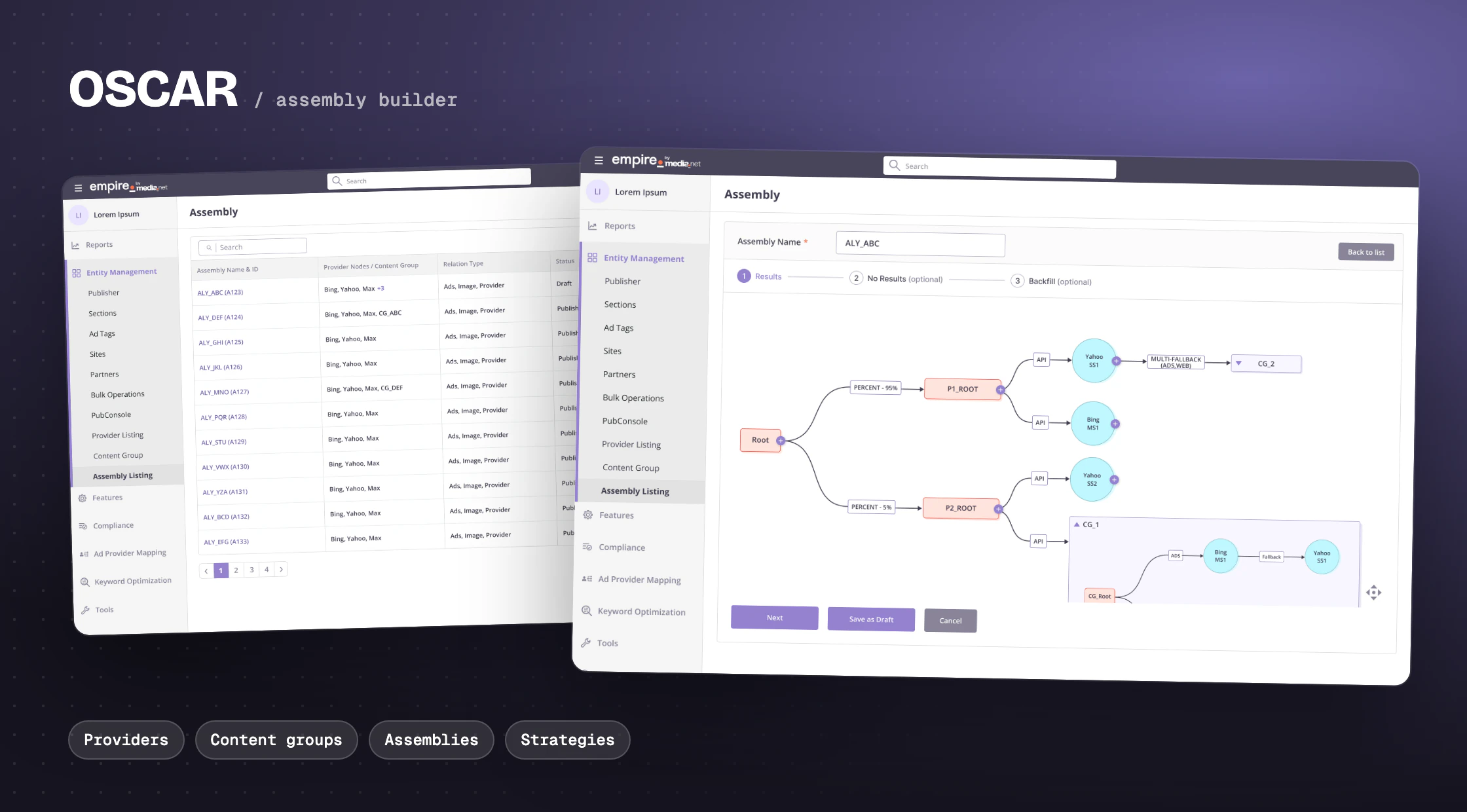
OSCAR is the part of Empire where teams build that graph. I designed it from the first wireframes through hi-fi: the provider listing, content groups, the assembly builder, and later strategies and behaviours.
A source of results, such as ads, web, image or video. Providers are set up in the backend and browsed here.
A reusable chain of two or more providers, published by a super user before anyone can use it.
The full graph for a page: Results, plus optional No Results and Backfill.
The link between two nodes: API, Fallback, Percent, Multi-fallback, Eval and Condition.
The problem
A powerful engine with strict rules
The graph engine is flexible, and that is exactly what makes it hard to use. Not every relation can follow every node. The PRD spelled out a matrix of what is allowed:
- From the Root node, only API and Percent
- From a provider, content group or RPS box: Fallback, Multi-fallback and Eval
- From a decision node, only Condition; from a condition, Percent, API or Override
- Fallback only from the second node in a chain, never from Root
Getting any of this wrong means a broken page in production. Asking people to memorise the matrix was not an option.
Let someone build a valid assembly graph without having to memorise the rules behind it?
Principles
Four rules I designed by
Show the graph, not a form. Everything is drawn as nodes and relations, the same way the engine runs it.
Only offer what is valid. Each "+" opens just the relations allowed from that node, and the next field appears only after a relation is chosen.
Grow it from the root. The Root node is placed for you. Every step adds one relation and one node, so the graph never starts as a blank canvas.
Reuse, don't repeat. Common chains become content groups that drop into any assembly as a single node.
Providers
Start by knowing what you can use
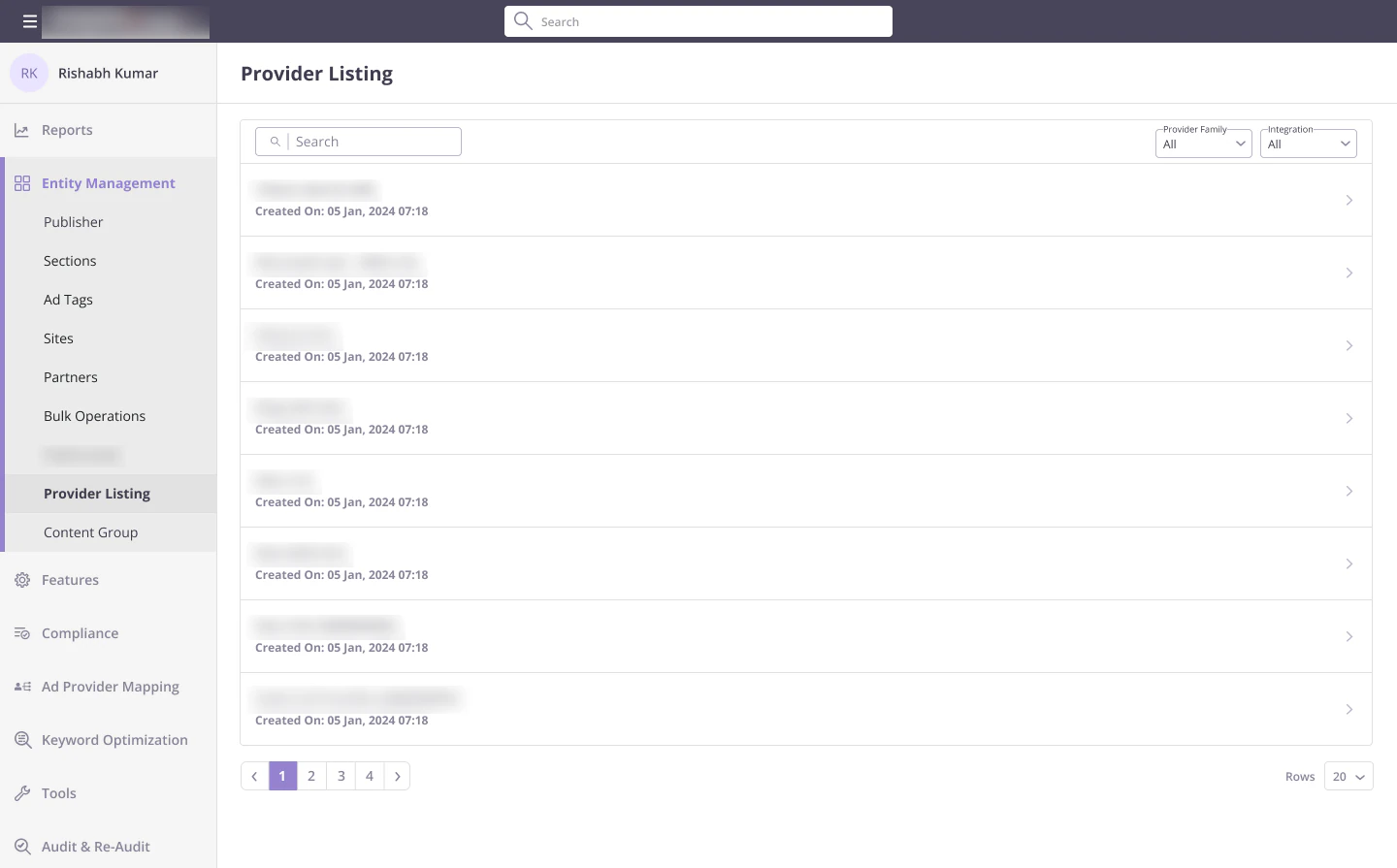
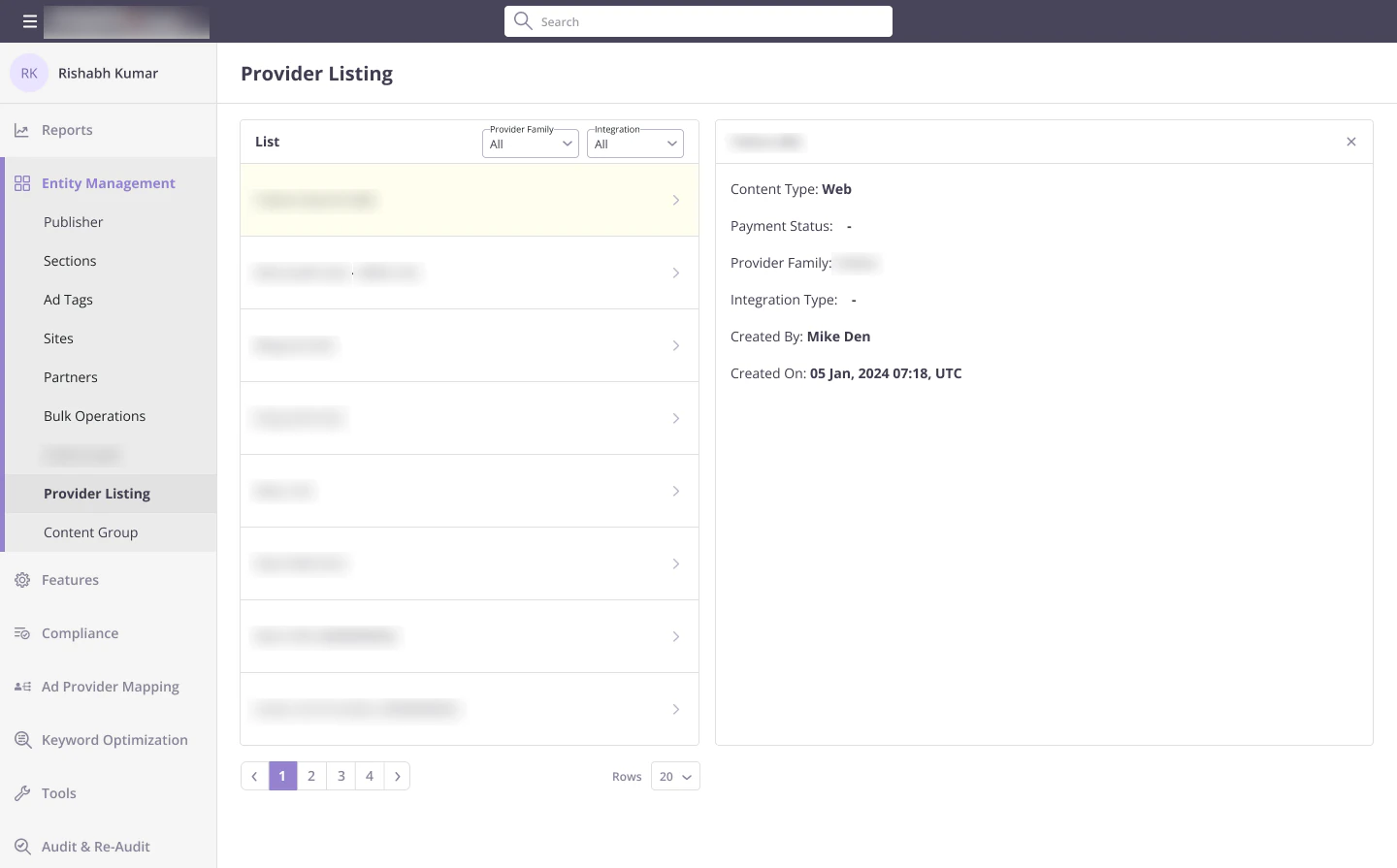
Providers are created in the backend, so the listing is for finding and understanding them. Search takes a name or group ID, and filters cover provider family, integration type and content type. Selecting a provider opens its details next to the list, so you never lose your place.
Content groups
Package a chain once, reuse it everywhere
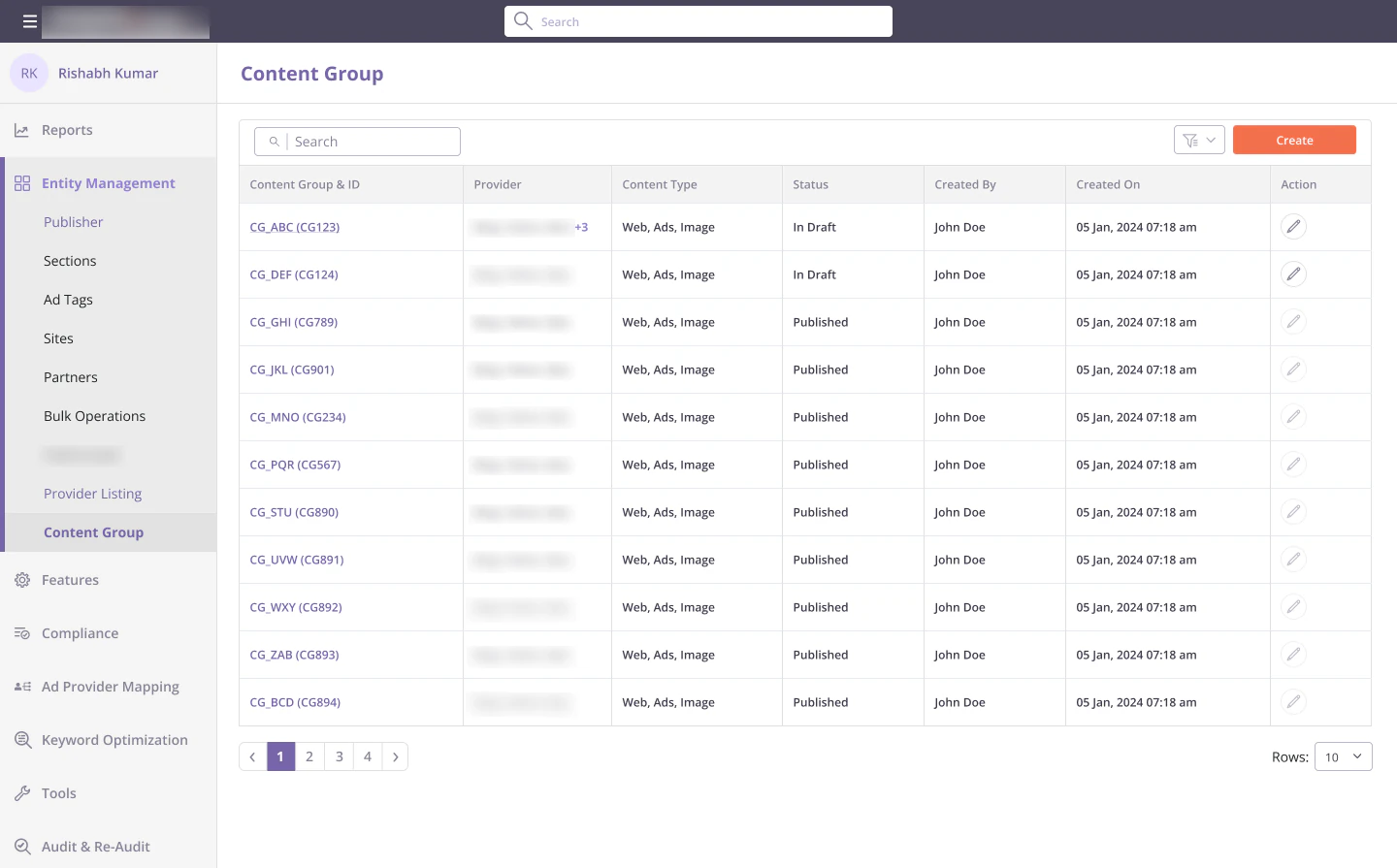
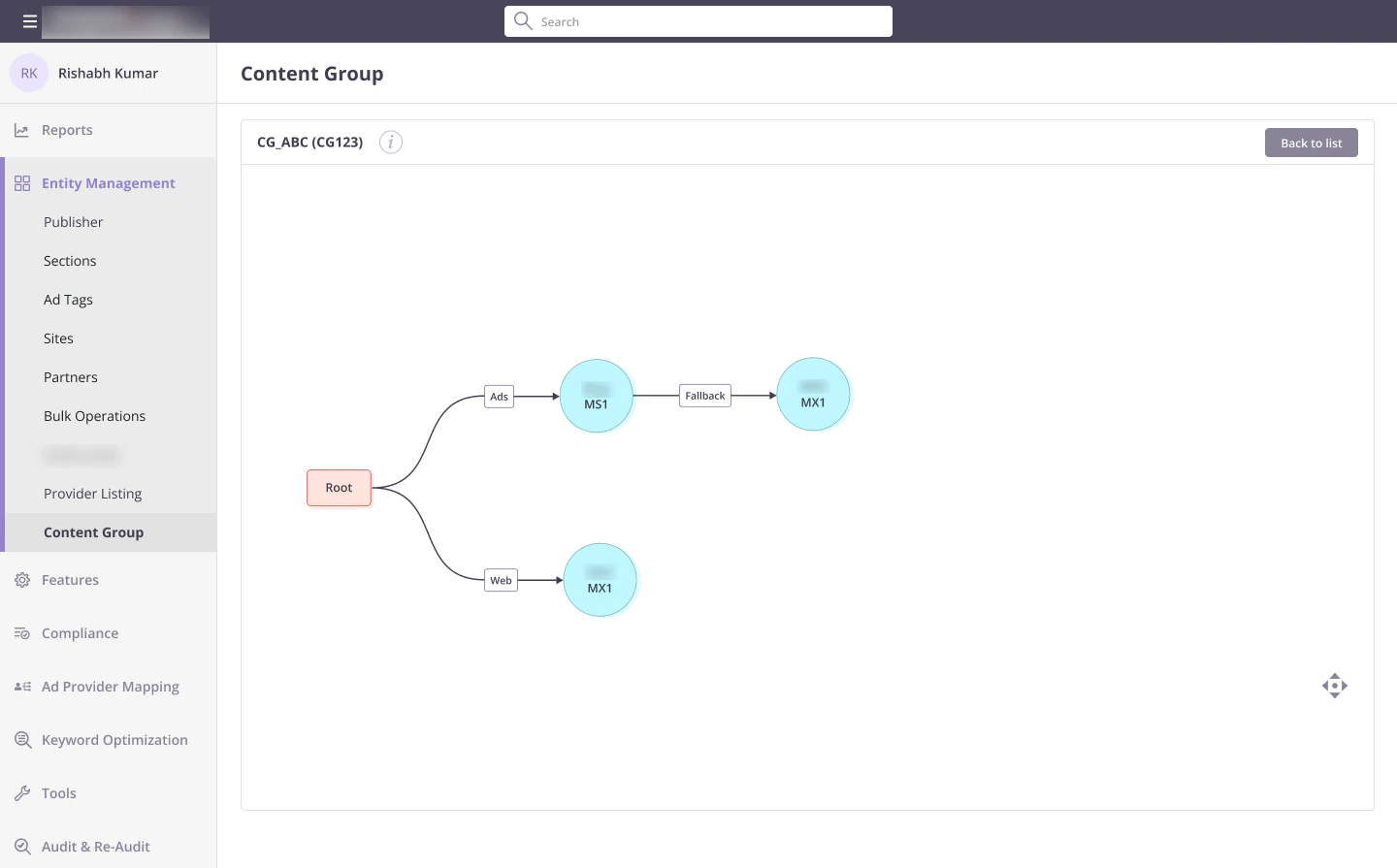
A content group is a small graph of two or more providers, such as Bing with a MAX fallback. The listing shows every group with its providers, content types and status, and filters by status, creator, provider and content type.
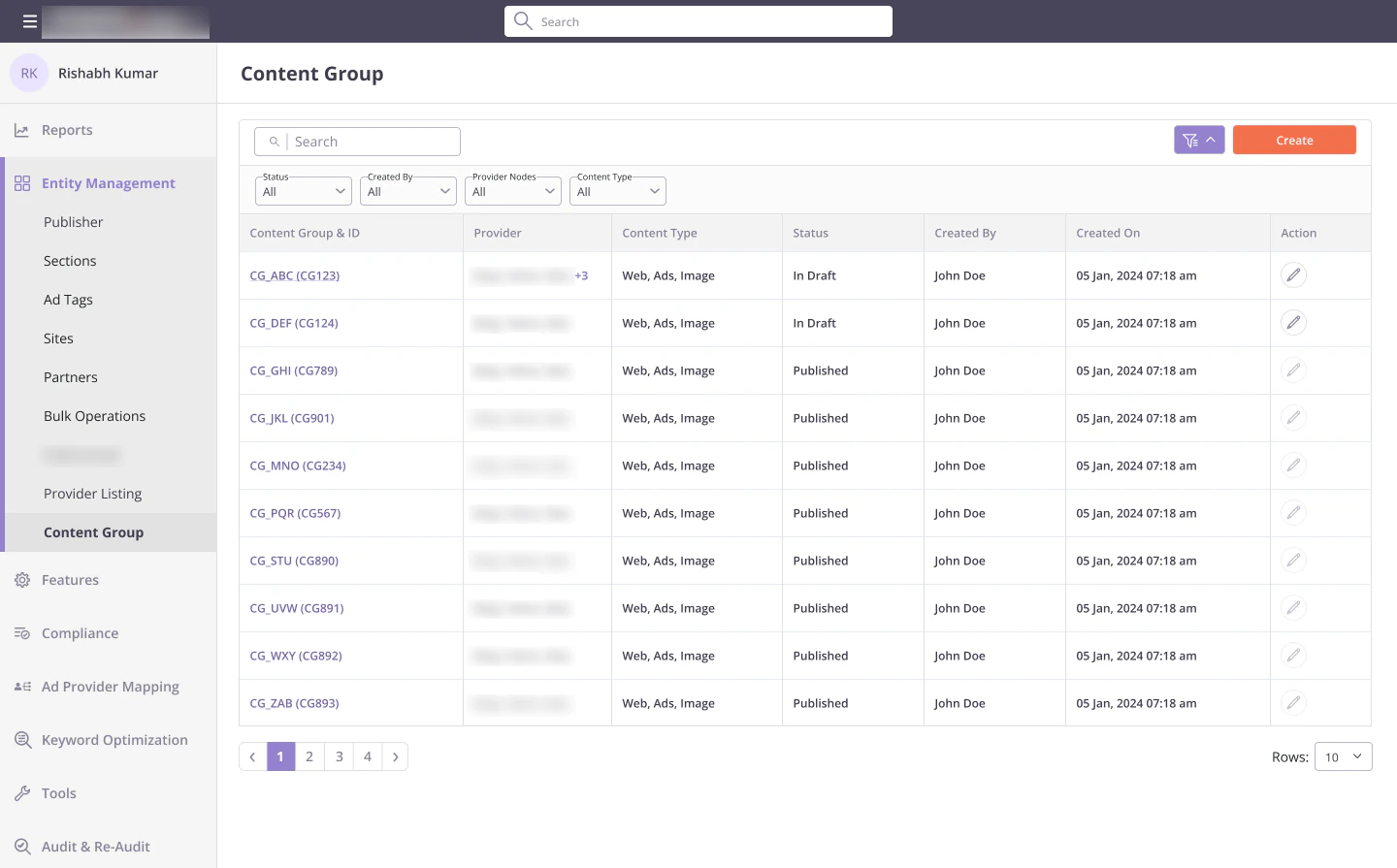
Building one
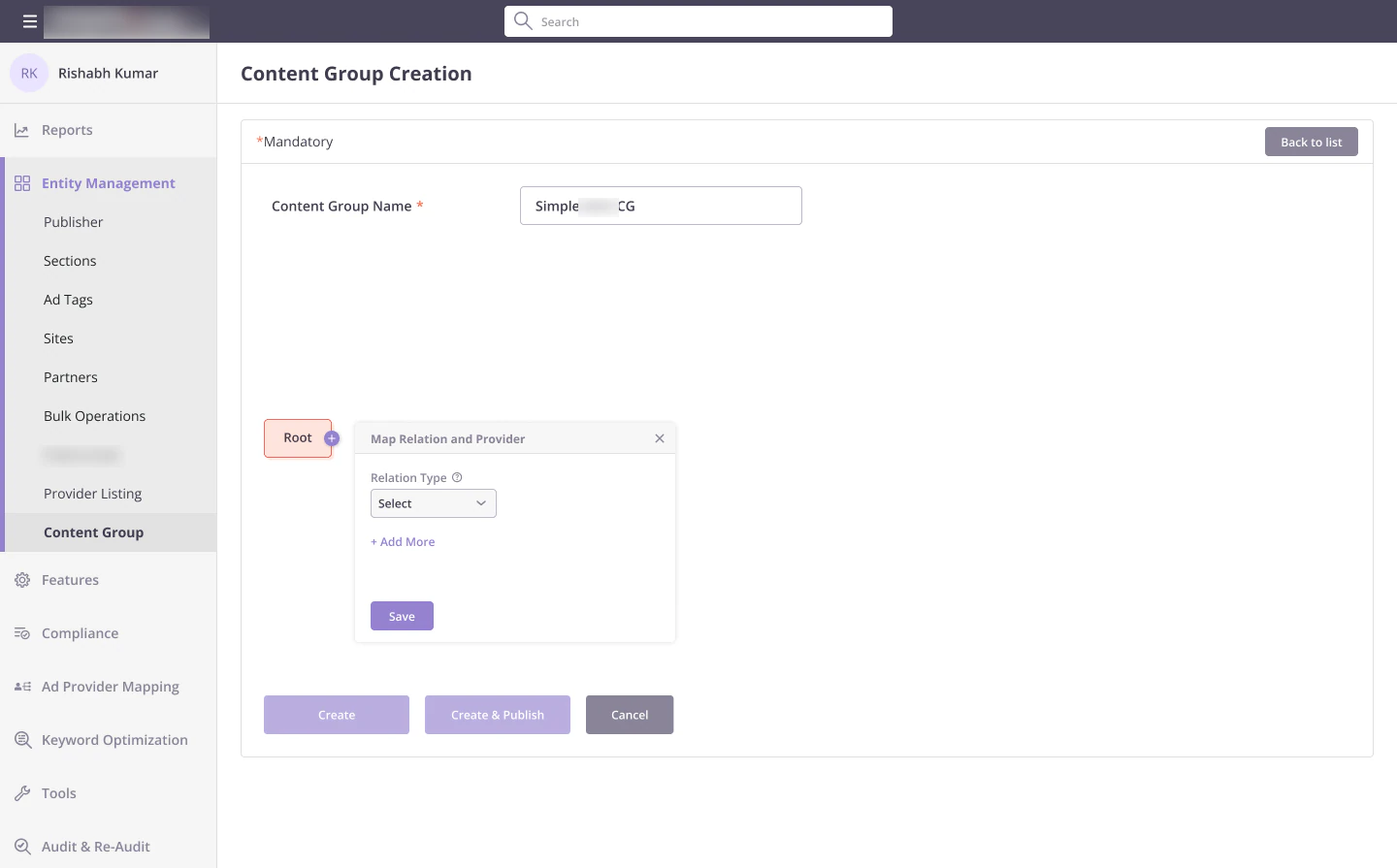
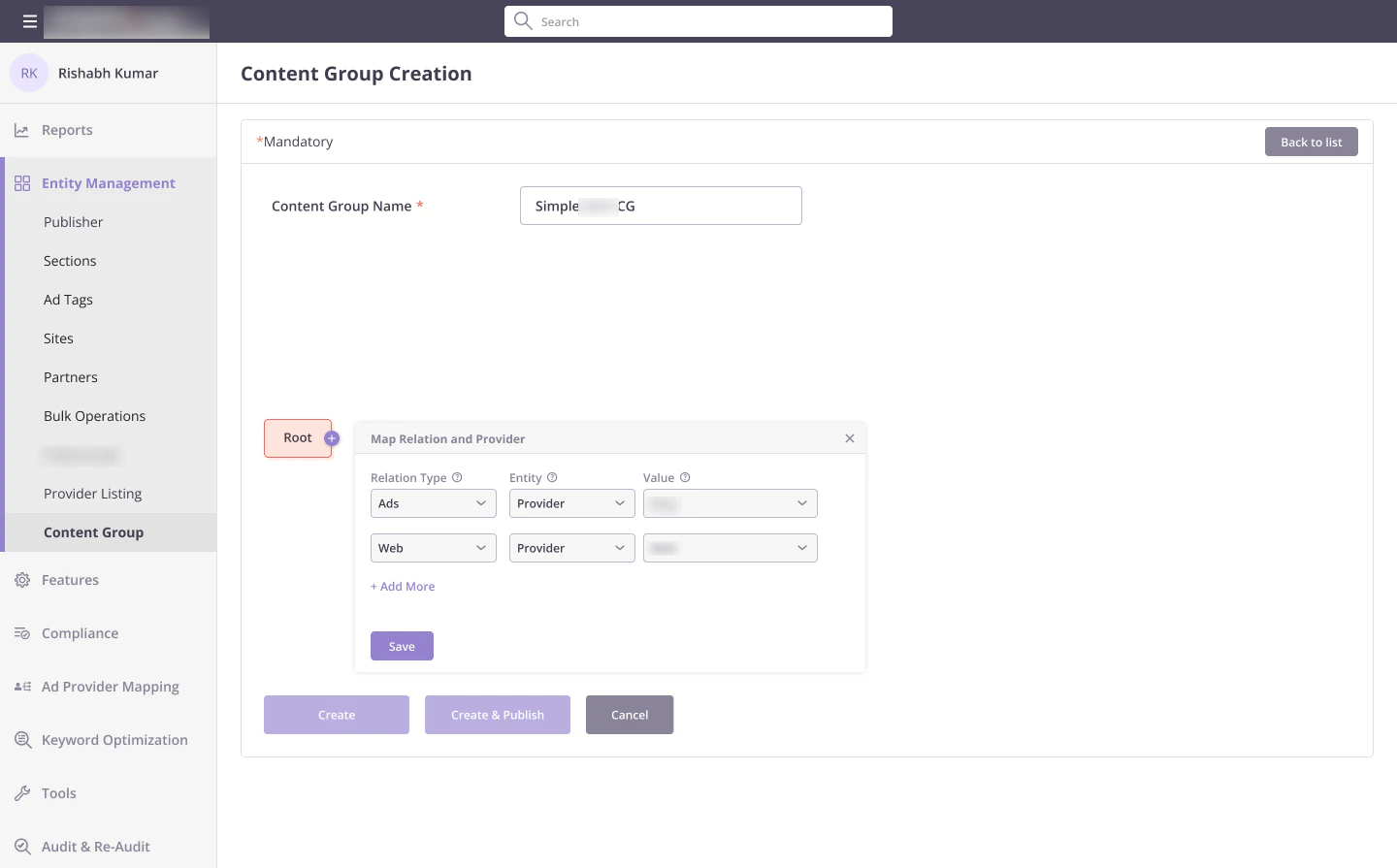
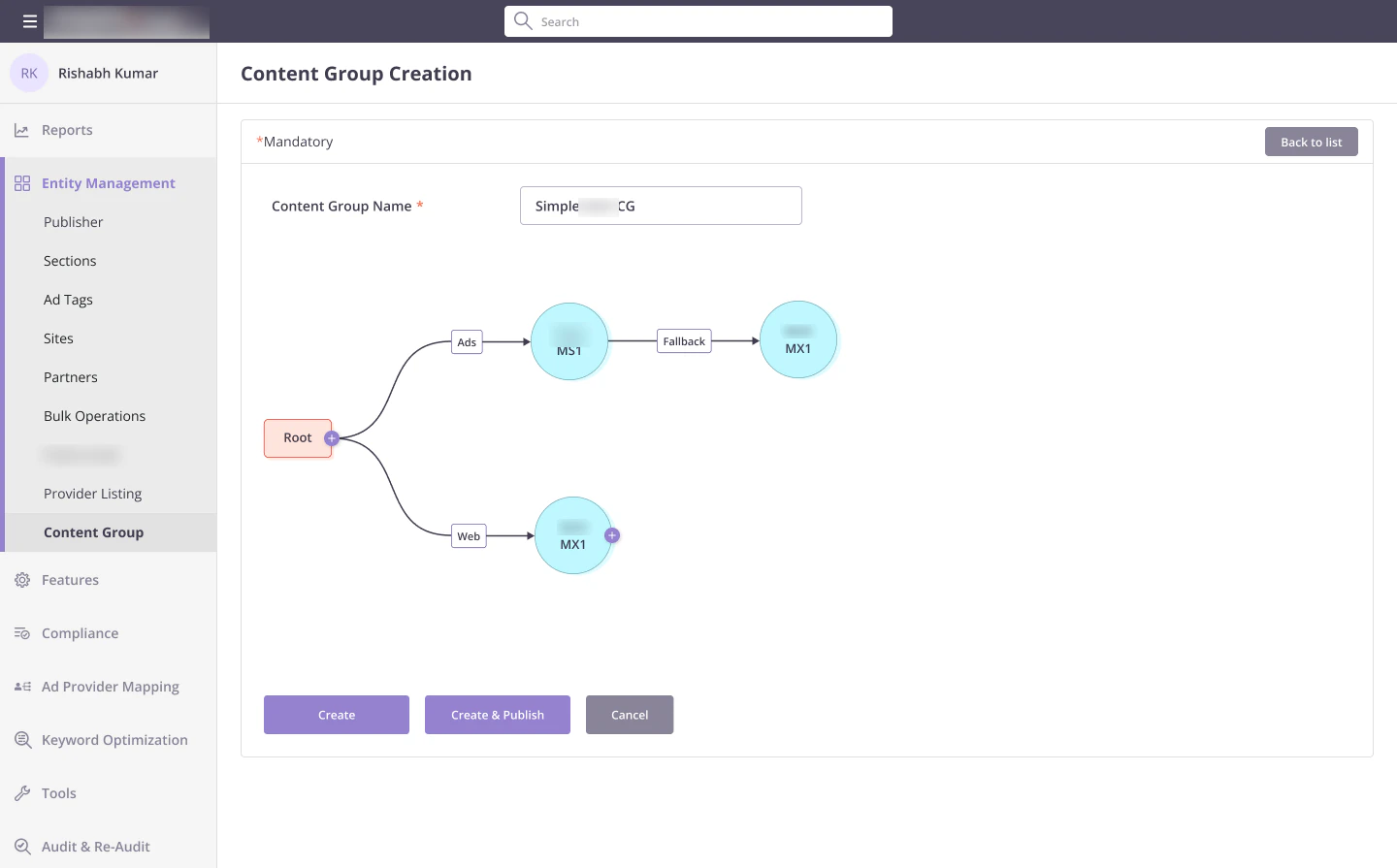
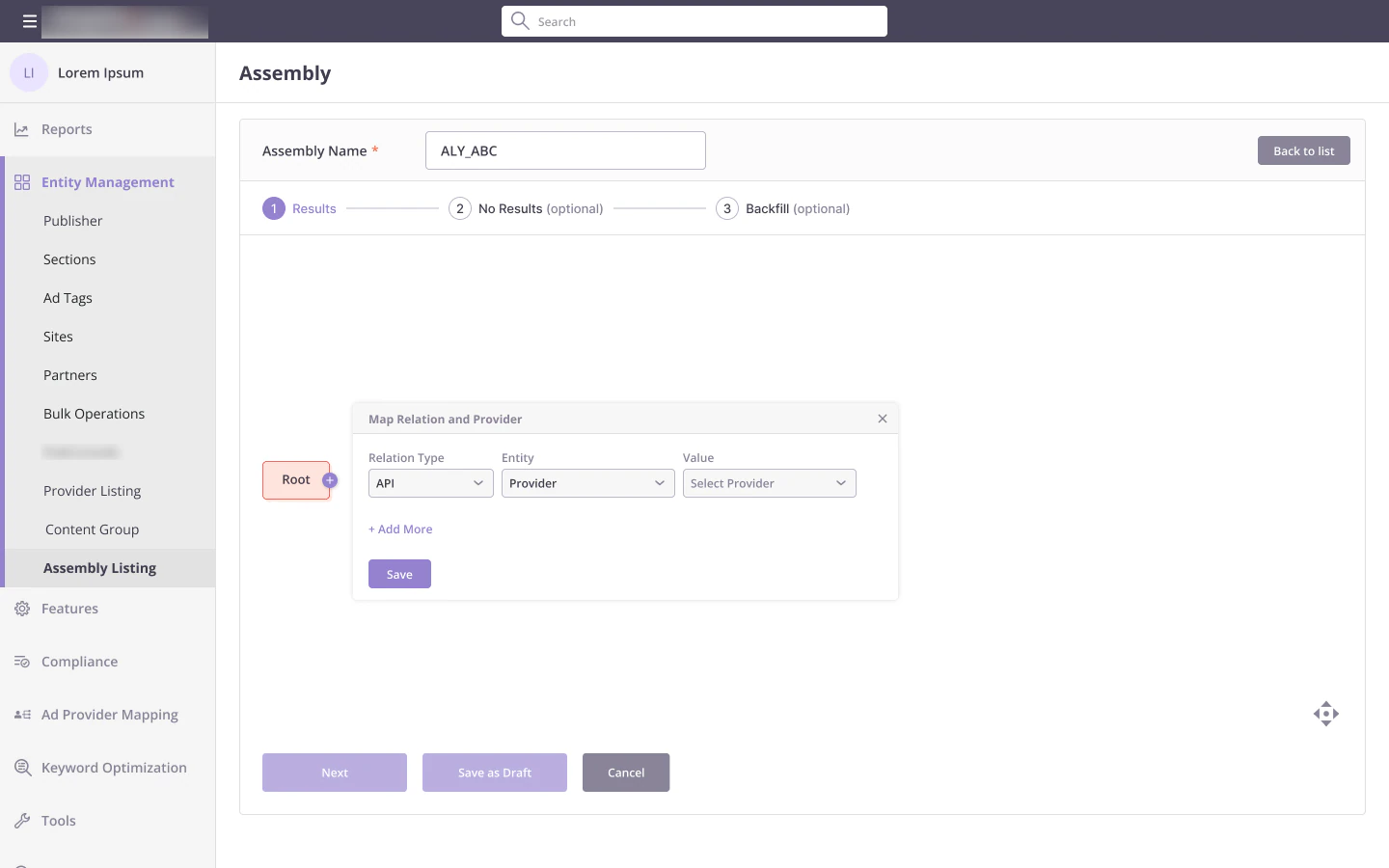
Creating a group starts with a name and a Root node that is already in place. The "+" on a node opens Map Relation and Provider: pick a relation first, then the entity and the provider. Only compliant options appear, and each field has a hint. Add as many relations as you need, and add a Fallback once a chain has its first provider.
Publishing is a gate
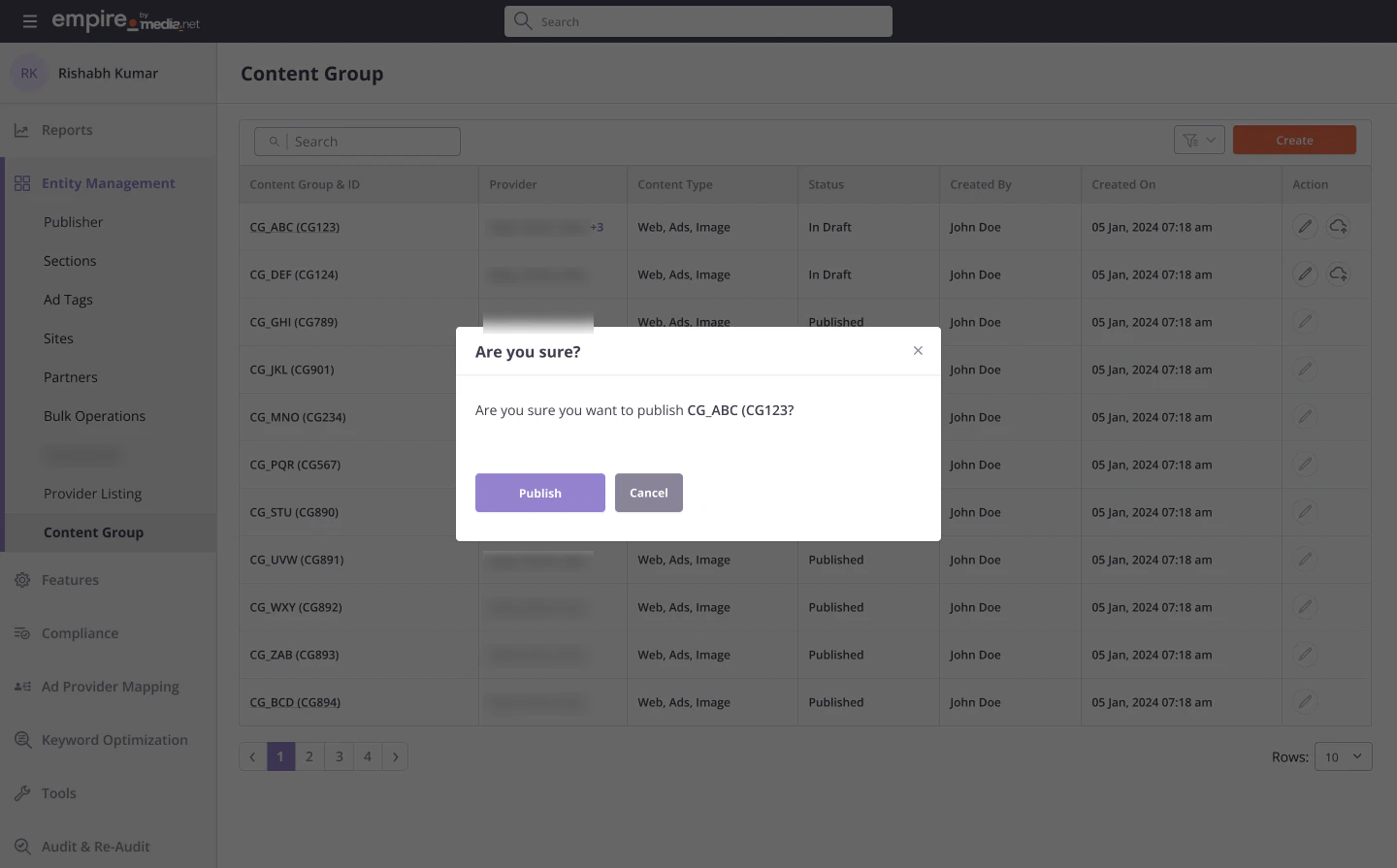
Anyone can create a content group, but only super users can publish one and make it available to assemblies. Super users get a publish action on the listing, a confirmation, and a toast once it is live. Everyone else sees the status, so they know whether a group is ready to use.
Assemblies
The builder
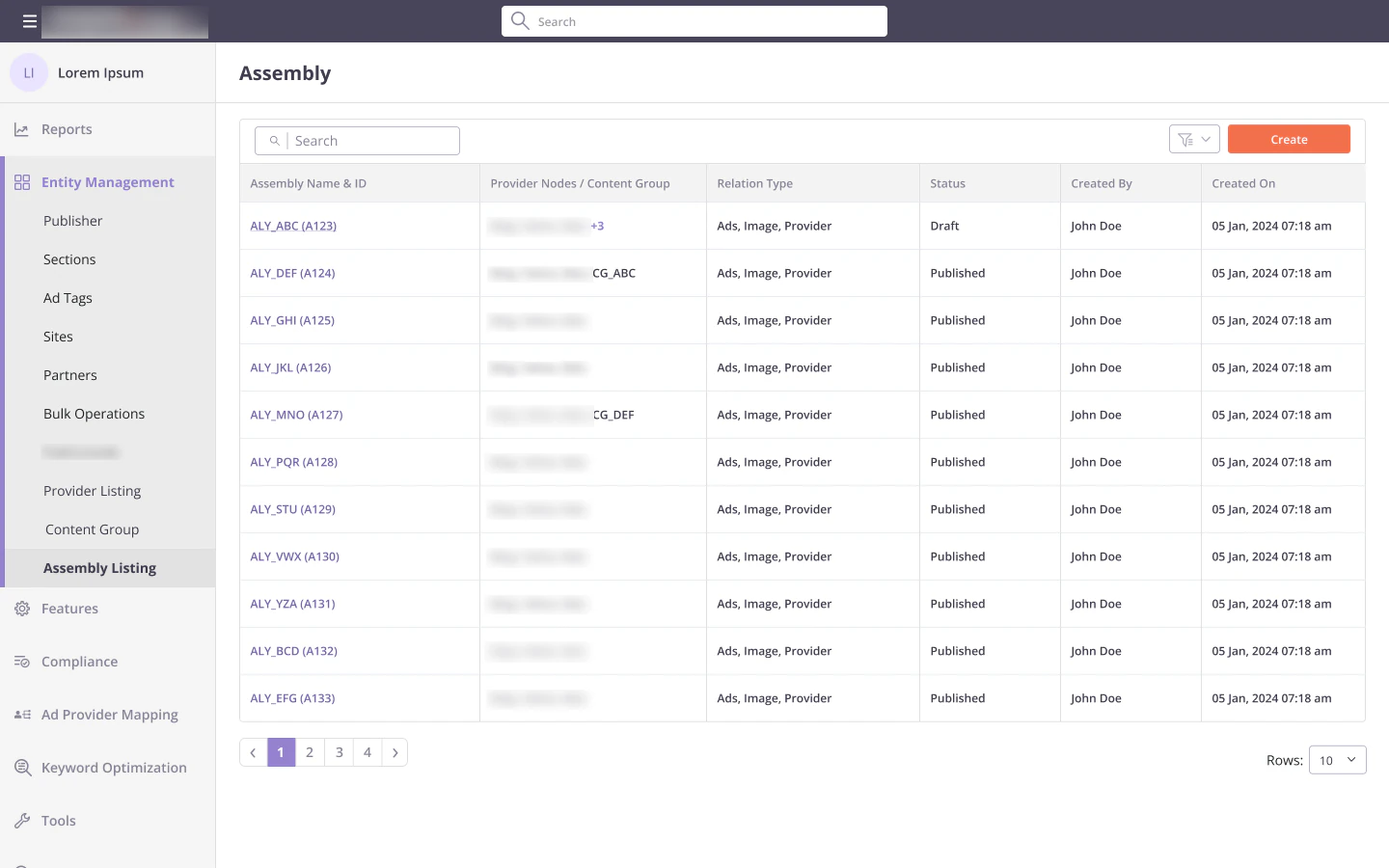
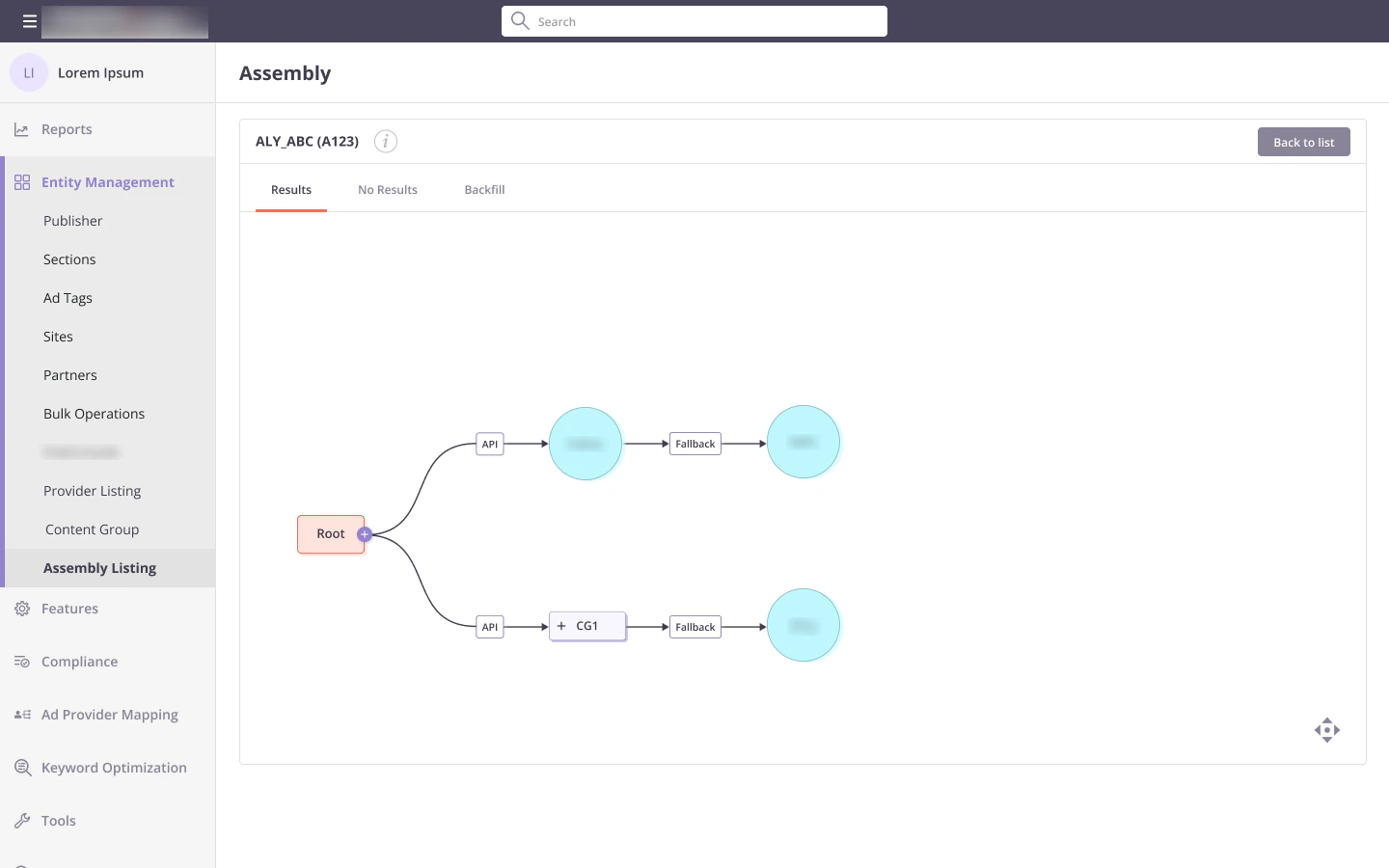
An assembly is the full recipe for a page. The listing shows each one with the provider nodes and content groups it uses, and opens straight into its graph. Each assembly has three parts as tabs: Results, which is required, and No Results and Backfill, which are optional.
One step at a time
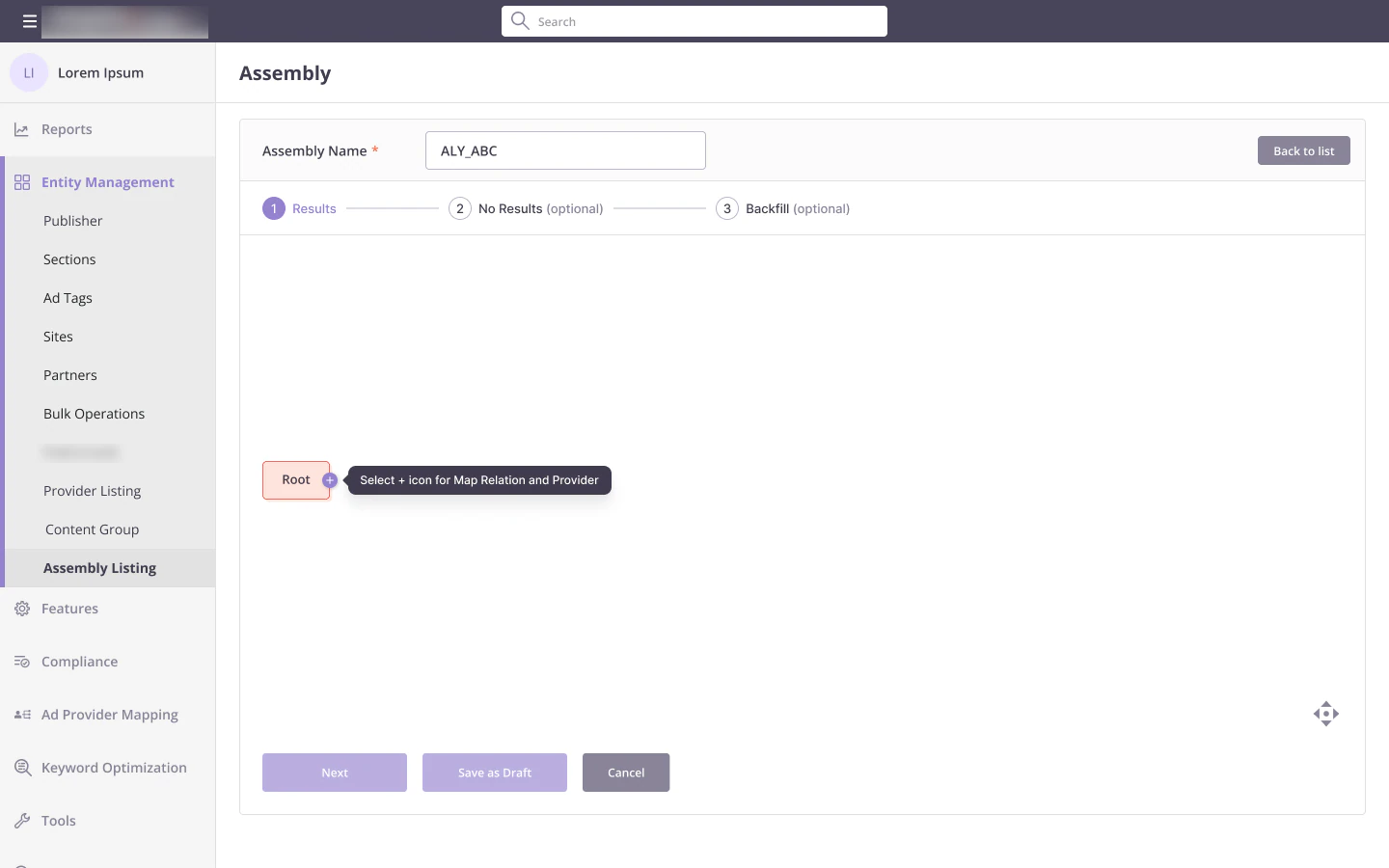
Creating an assembly is a three-step flow. The Root node is placed for you with a hint: "Select + icon for Map Relation and Provider". From Root, only API and Percent are offered, so the first choice is already a valid one. Save as Draft keeps progress for later.
Splitting traffic
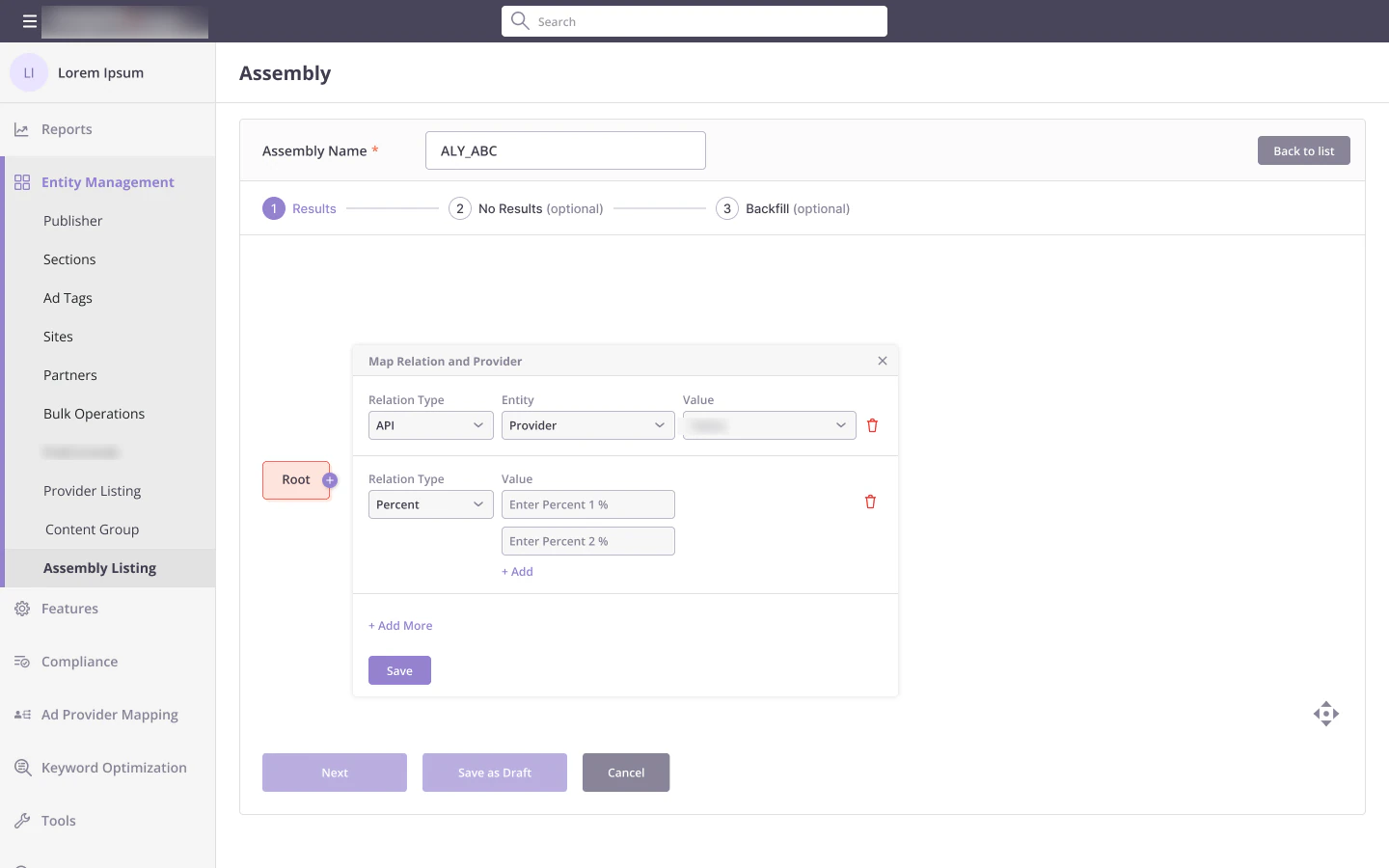
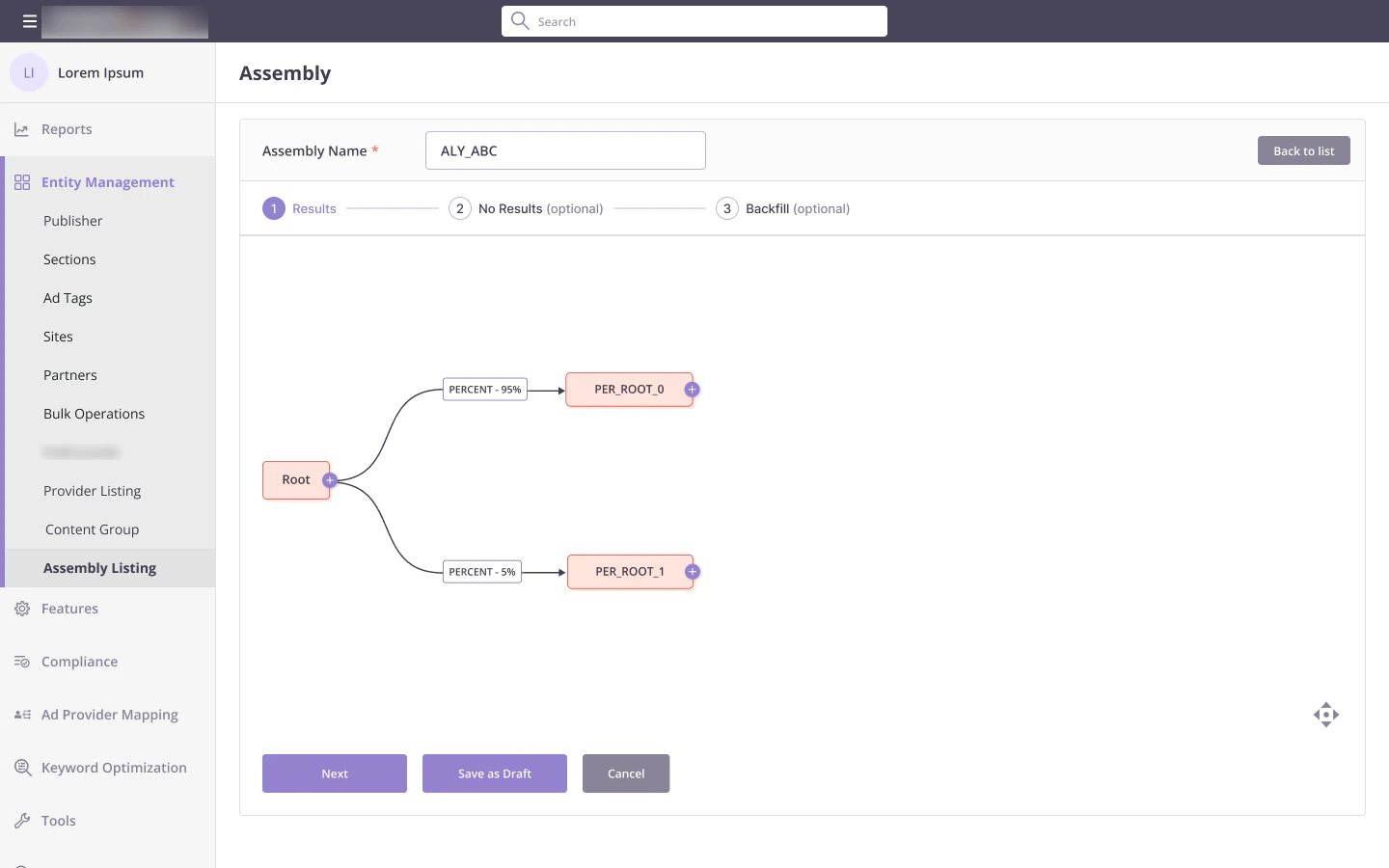
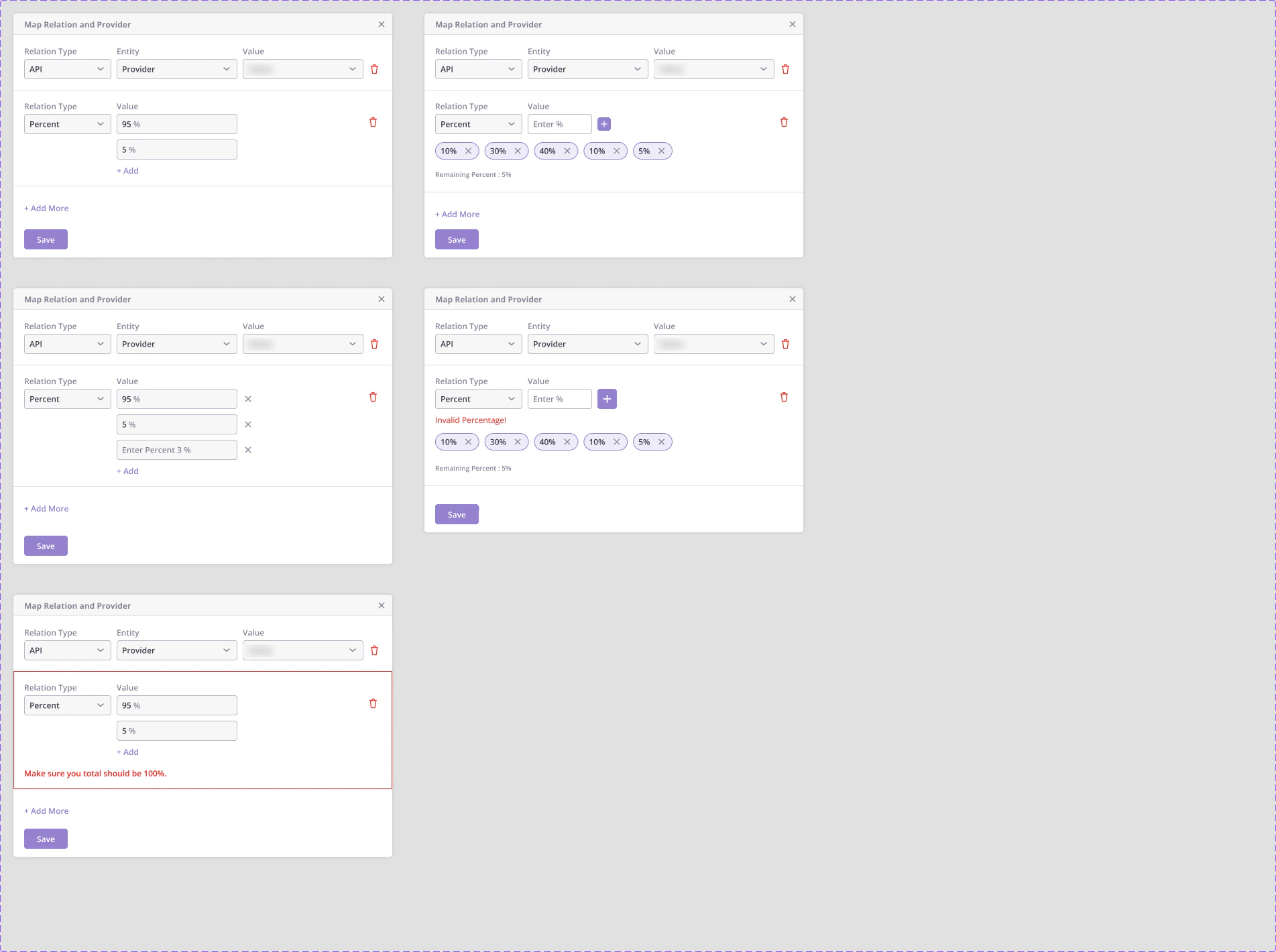
A Percent relation splits traffic between branches. The form adds a value per branch, shows the remaining percent as you go, and stops you if the total is not 100. Each branch becomes its own root to build on.
Fallbacks and nested groups
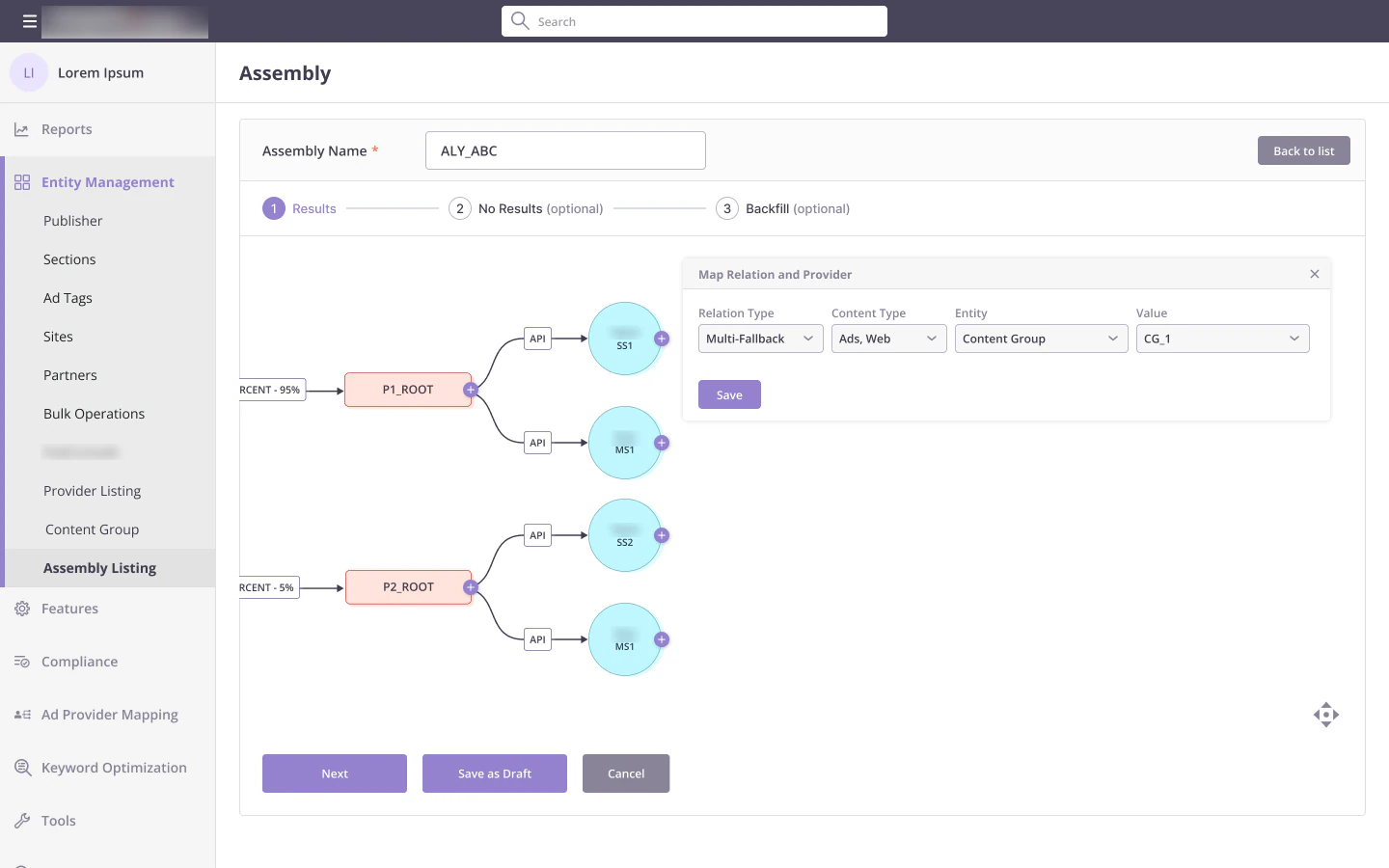
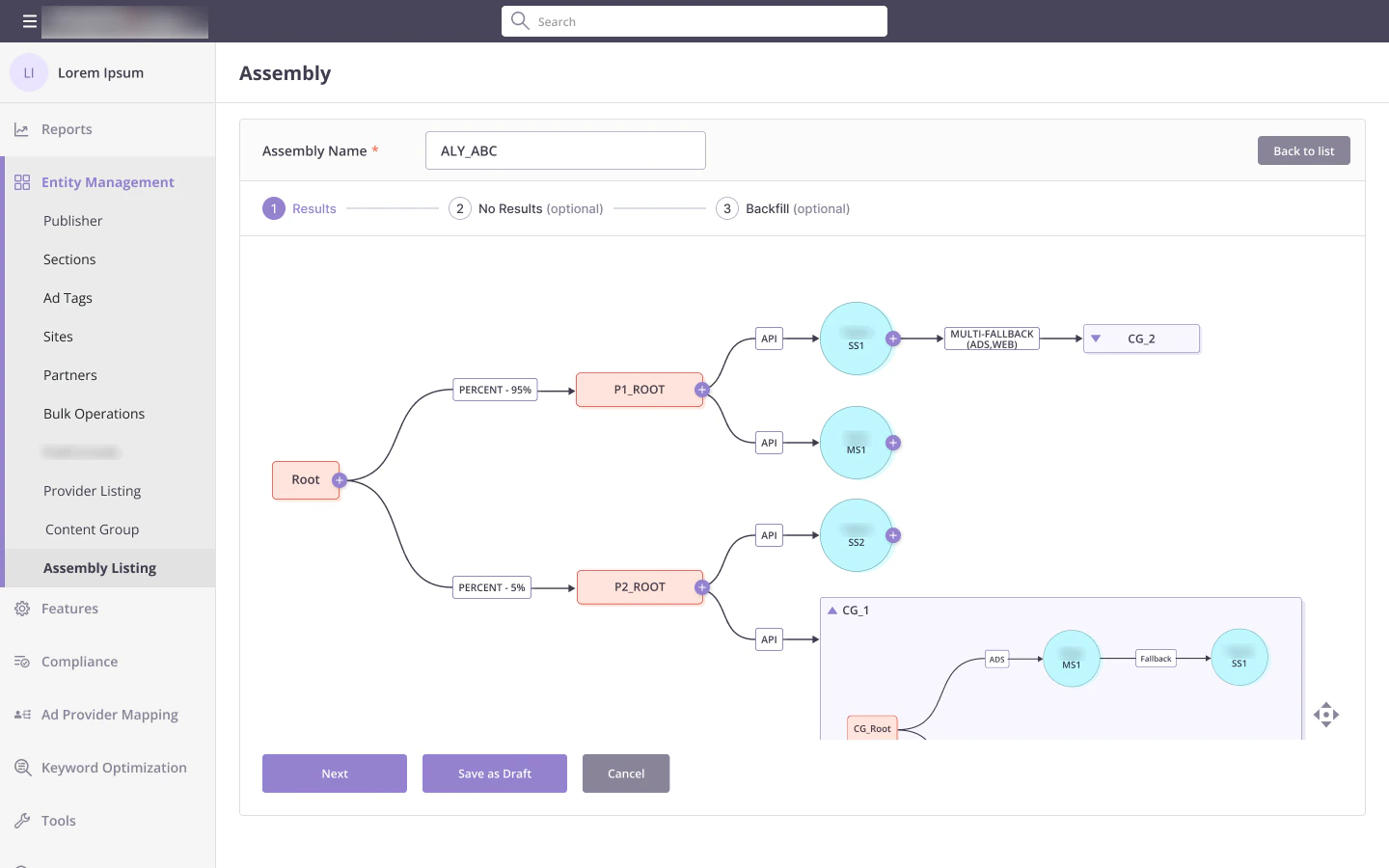
Multi-fallback lets a provider fall back to a content group for selected content types. Content groups appear as a single node that expands in place, so you can check what is inside without leaving the assembly.
Decisions and conditions
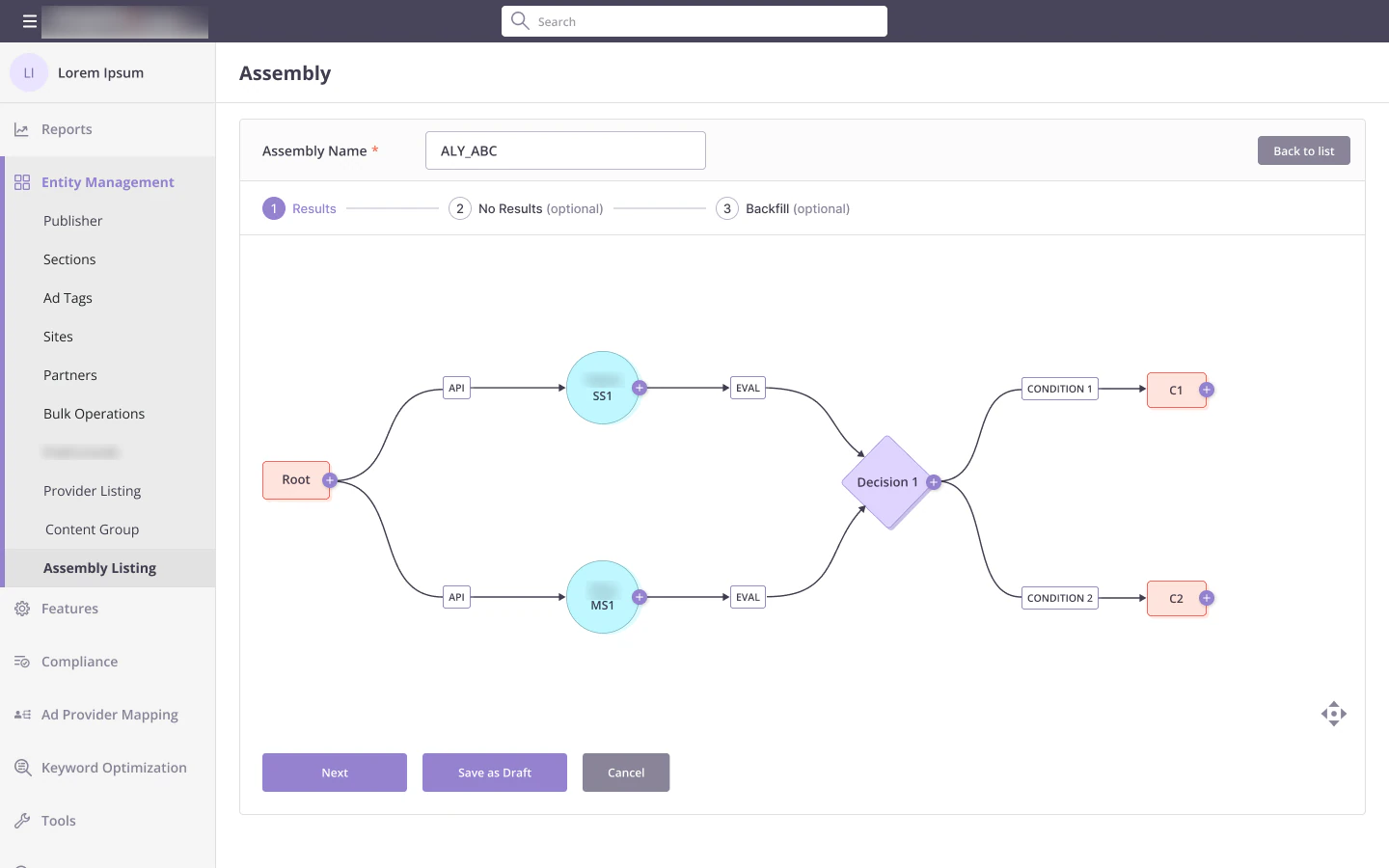
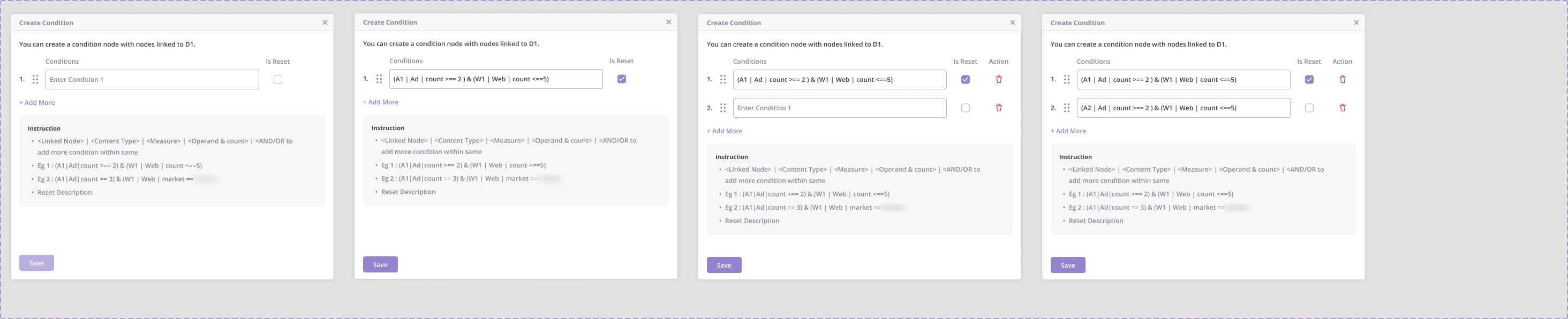
Eval sends results from several providers into a decision node. From a decision, only Condition can follow, and each condition is written in a short syntax with the instructions right below the field. Conditions can be reordered and marked as reset.
Strategies
Putting behaviour on top of the graph
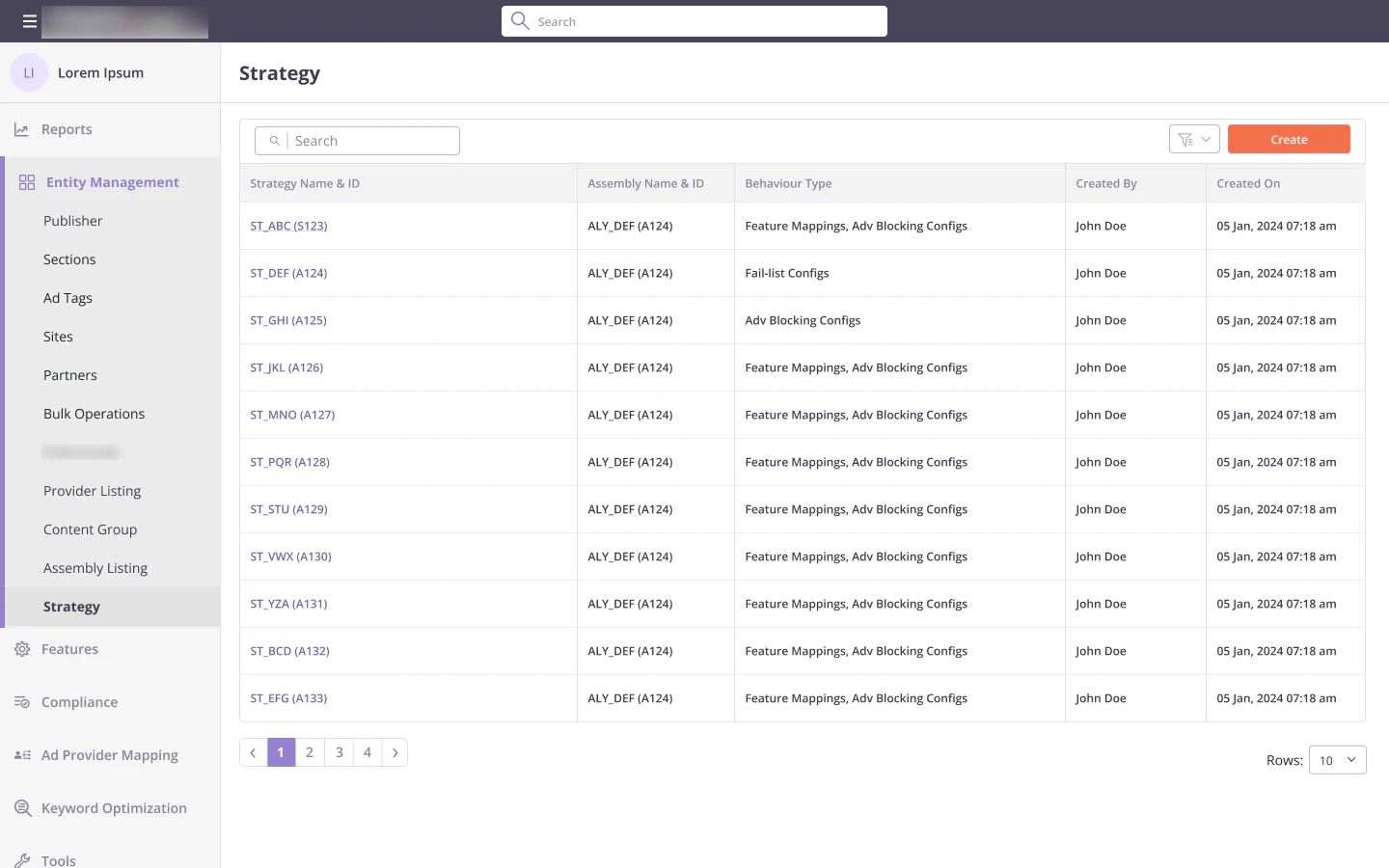
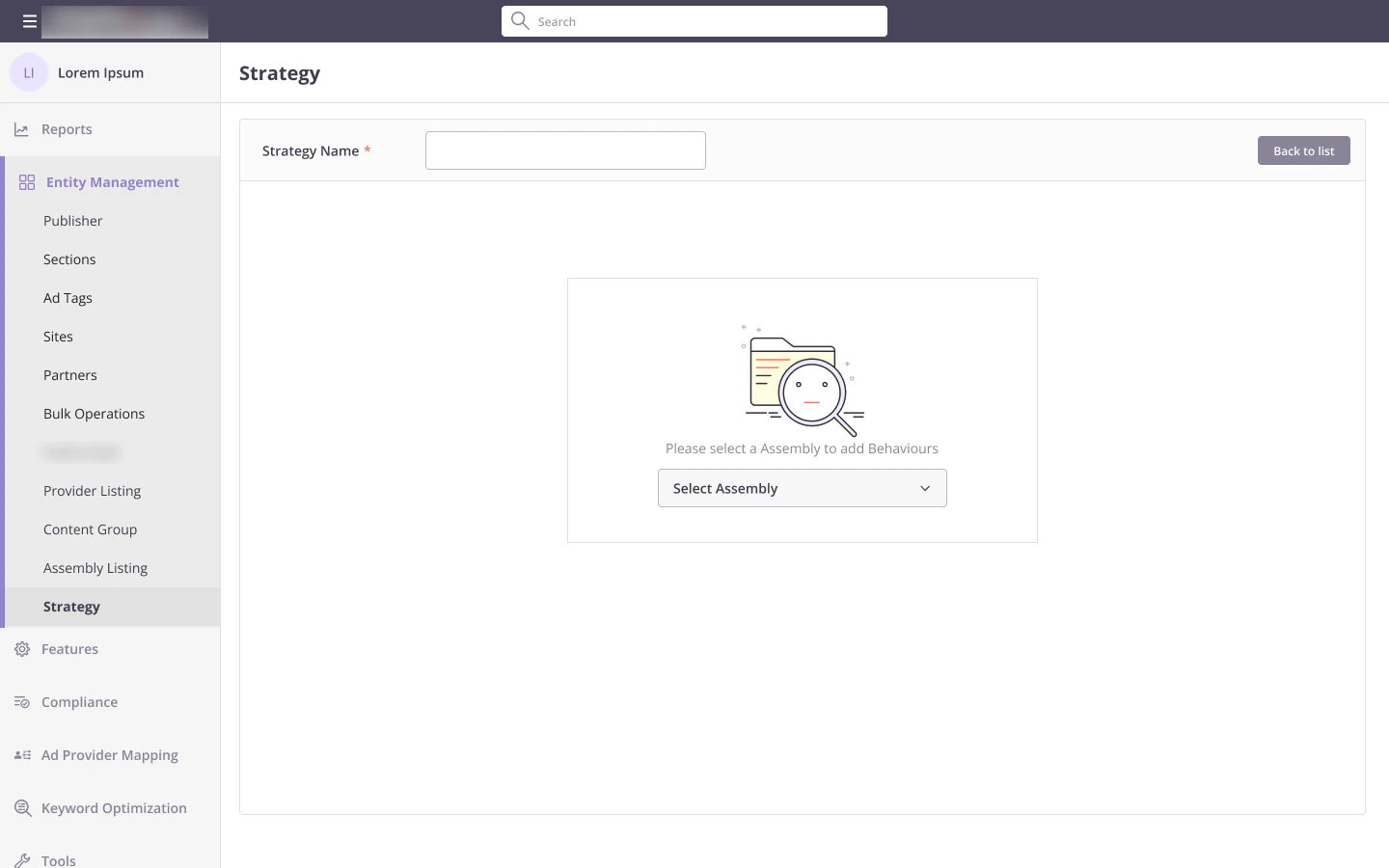
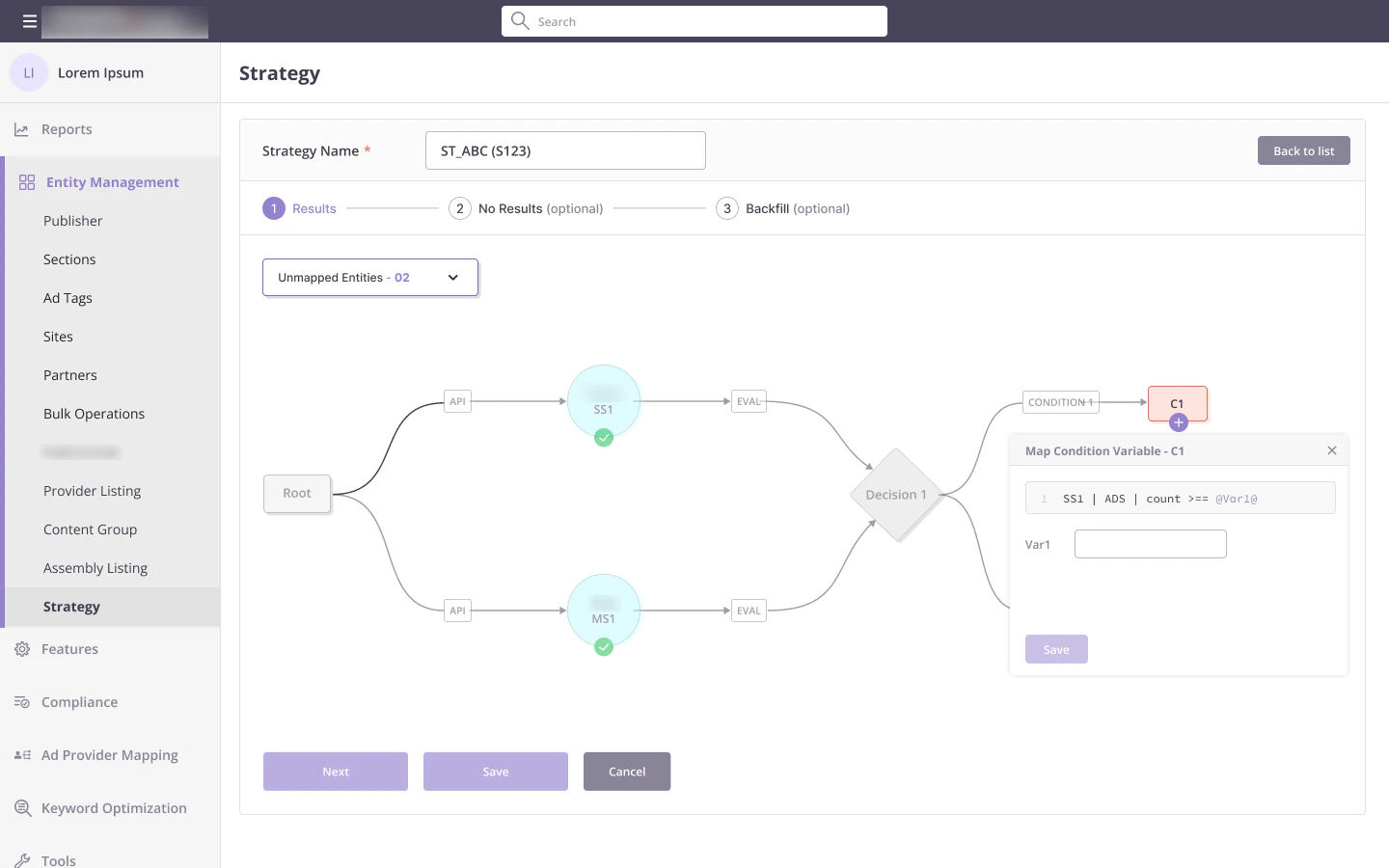
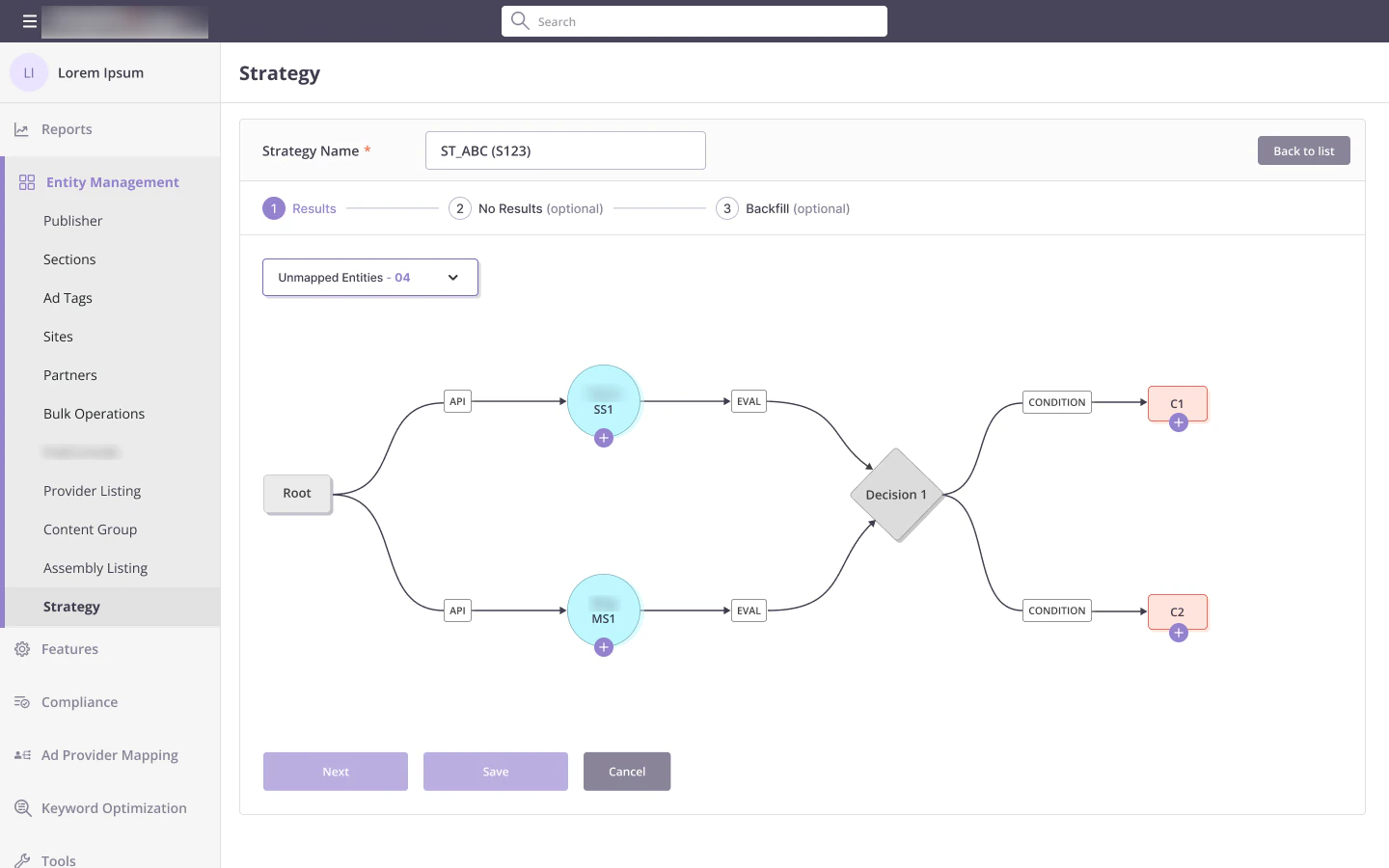
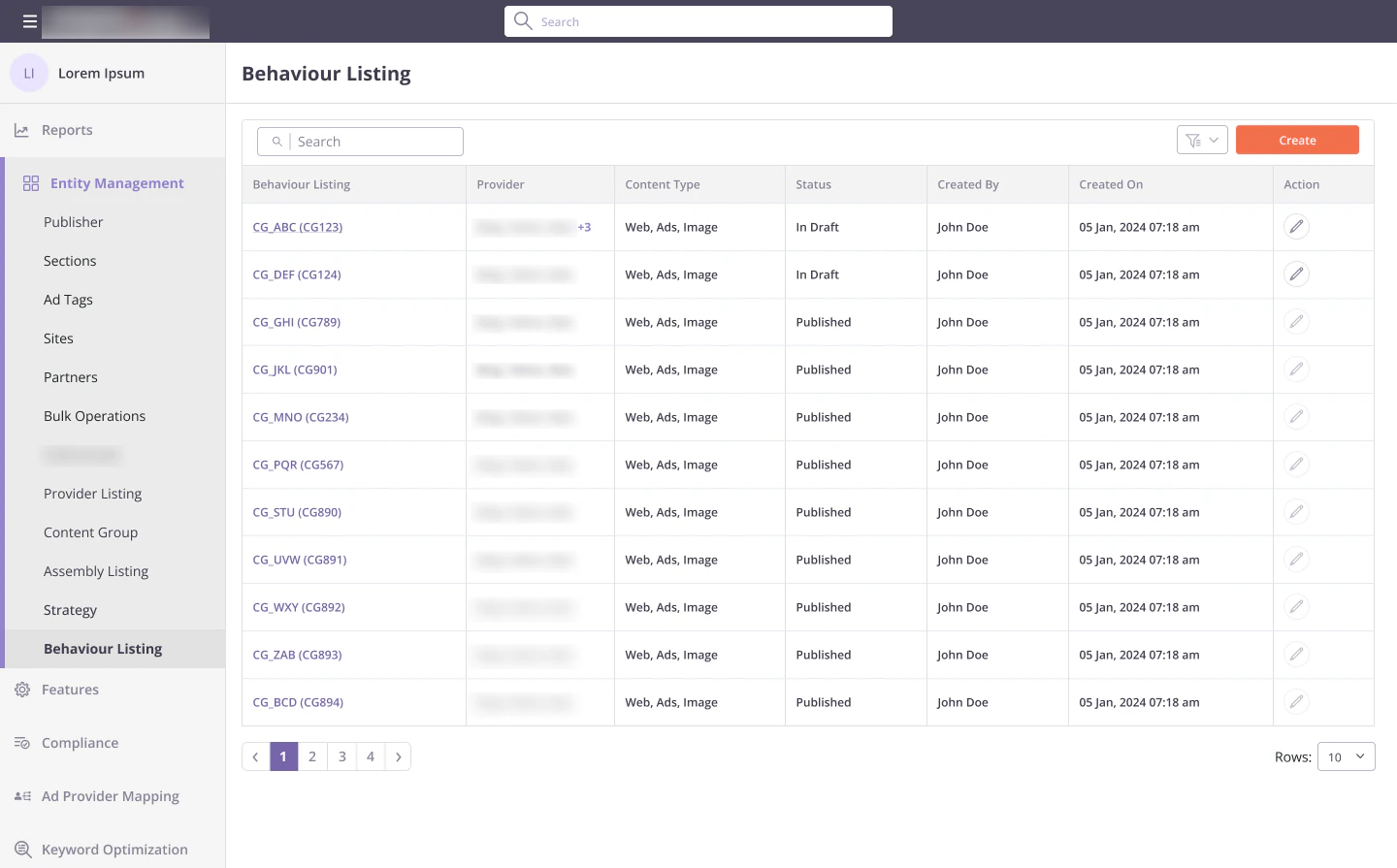
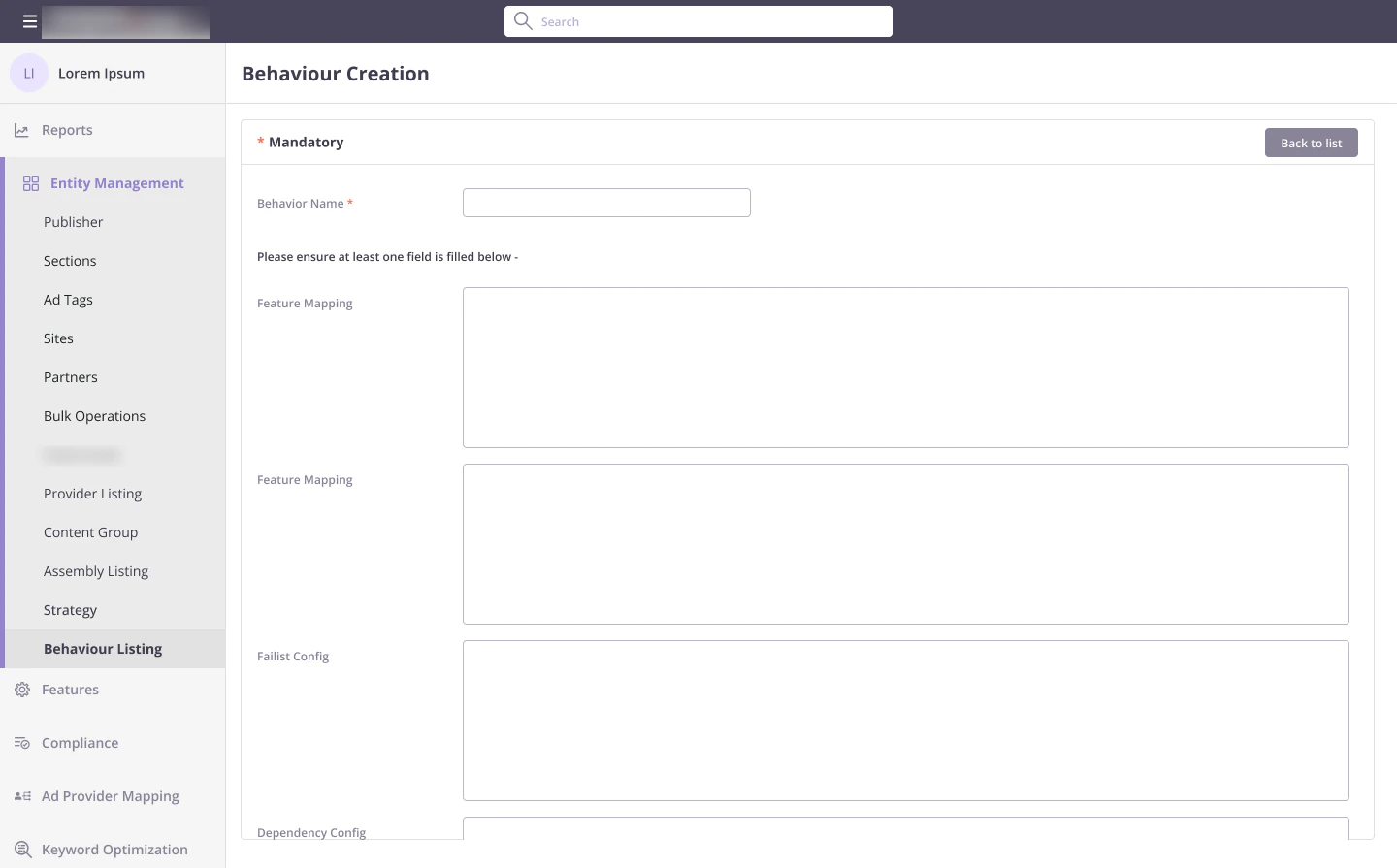
Later I extended OSCAR with Strategies and Behaviours. A behaviour bundles settings such as feature mappings, fail-list configs and dependency configs. A strategy takes an assembly and maps behaviours onto its nodes.
Nothing left unmapped
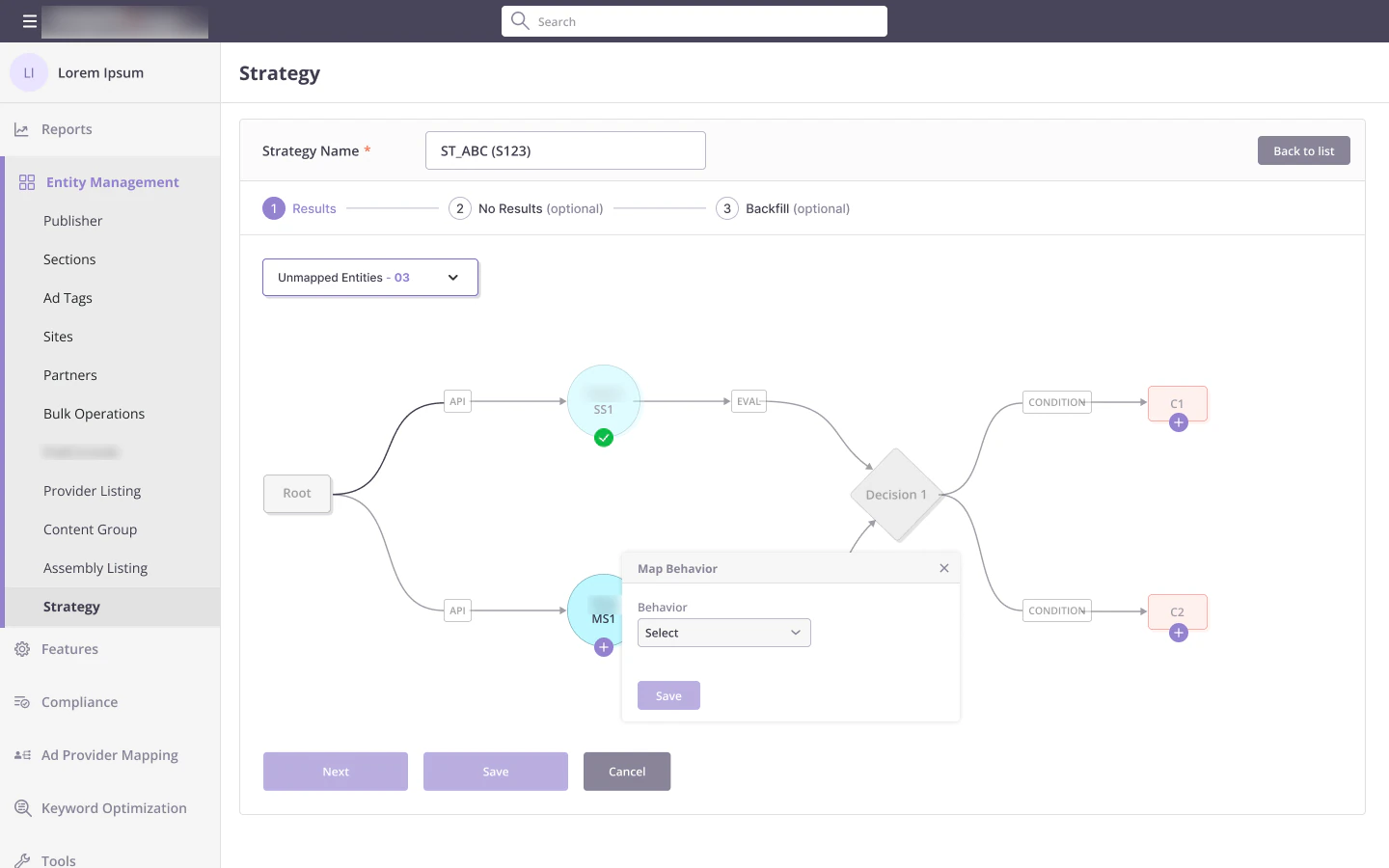
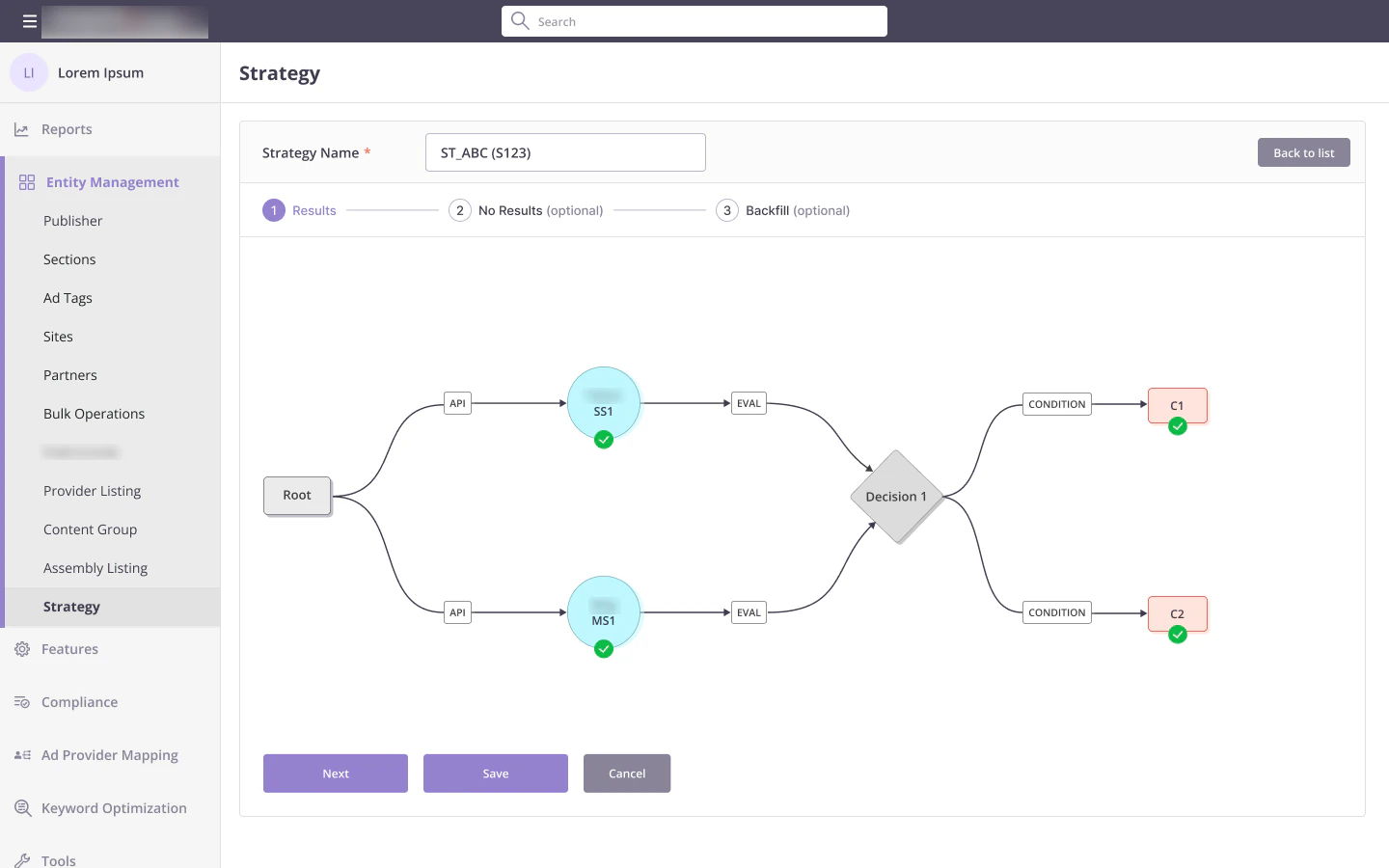
Choosing an assembly draws its graph. An Unmapped Entities counter at the top counts down as nodes get a behaviour, and each mapped node gets a green check, so it is obvious what is left. Condition nodes ask for their variables in place.
What I learned
Designing for a rulebook
The relation matrix was the hardest part of the product. Building it into the dropdowns did more than any help text could.
Showing the graph the way the engine reads it gave product, engineering and operations one shared picture to talk about.
Content groups as single, expandable nodes kept big assemblies easy to read.