
Context
Building an audience, one segment at a time
Select is where people at Media.net put together advertising deals. One step of every deal is choosing who should see the ads. That audience is built from segments: ready-made groups of people, such as "frequent travellers" or "new parents", supplied by many data companies.
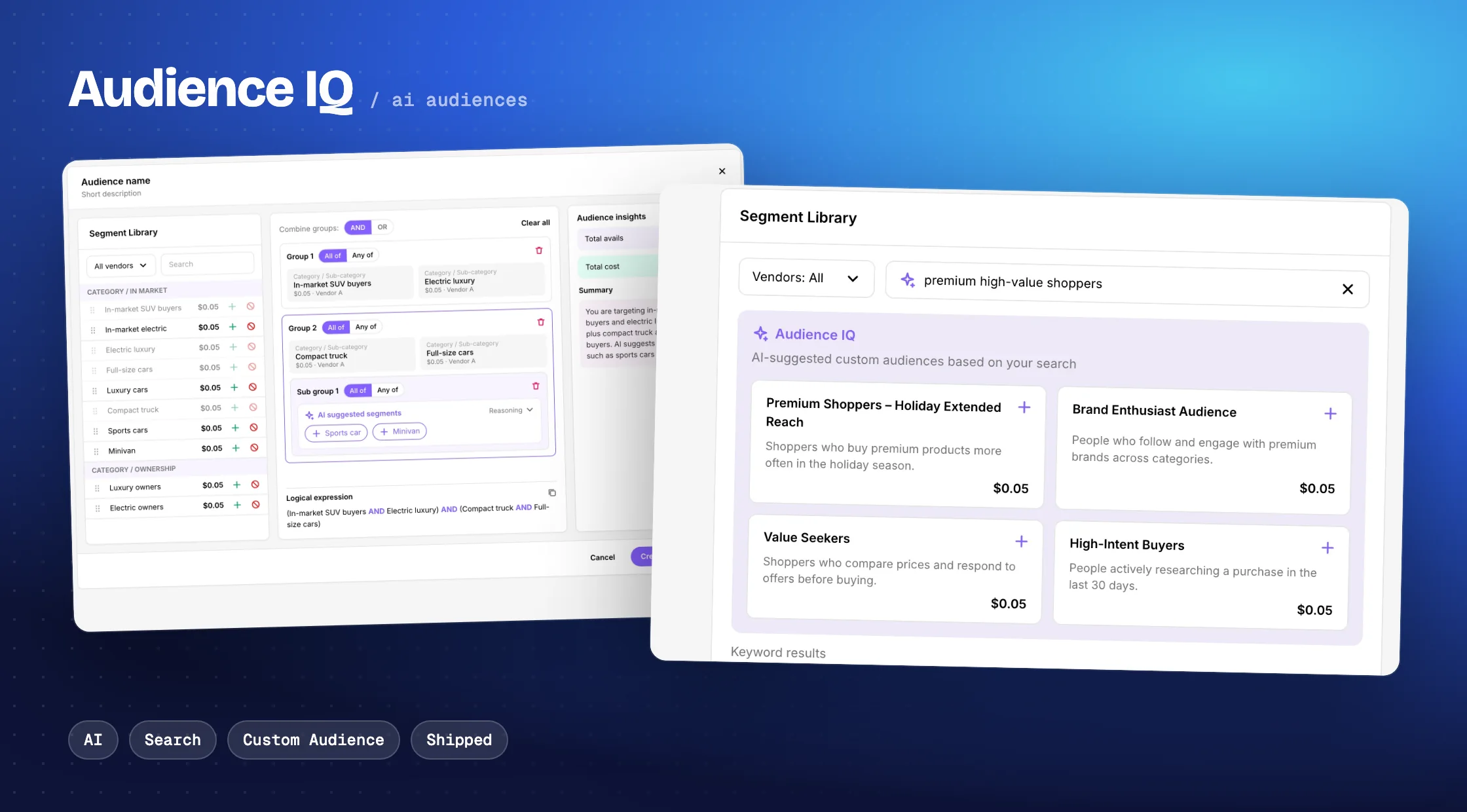
Audience IQ is an AI tool that suggests audiences for a deal. You describe who you want to reach in a short sentence, and it comes back with ready-made audiences, each one a combination of segments. I designed it from the first concepts in March 2026 to the October 2026 release.
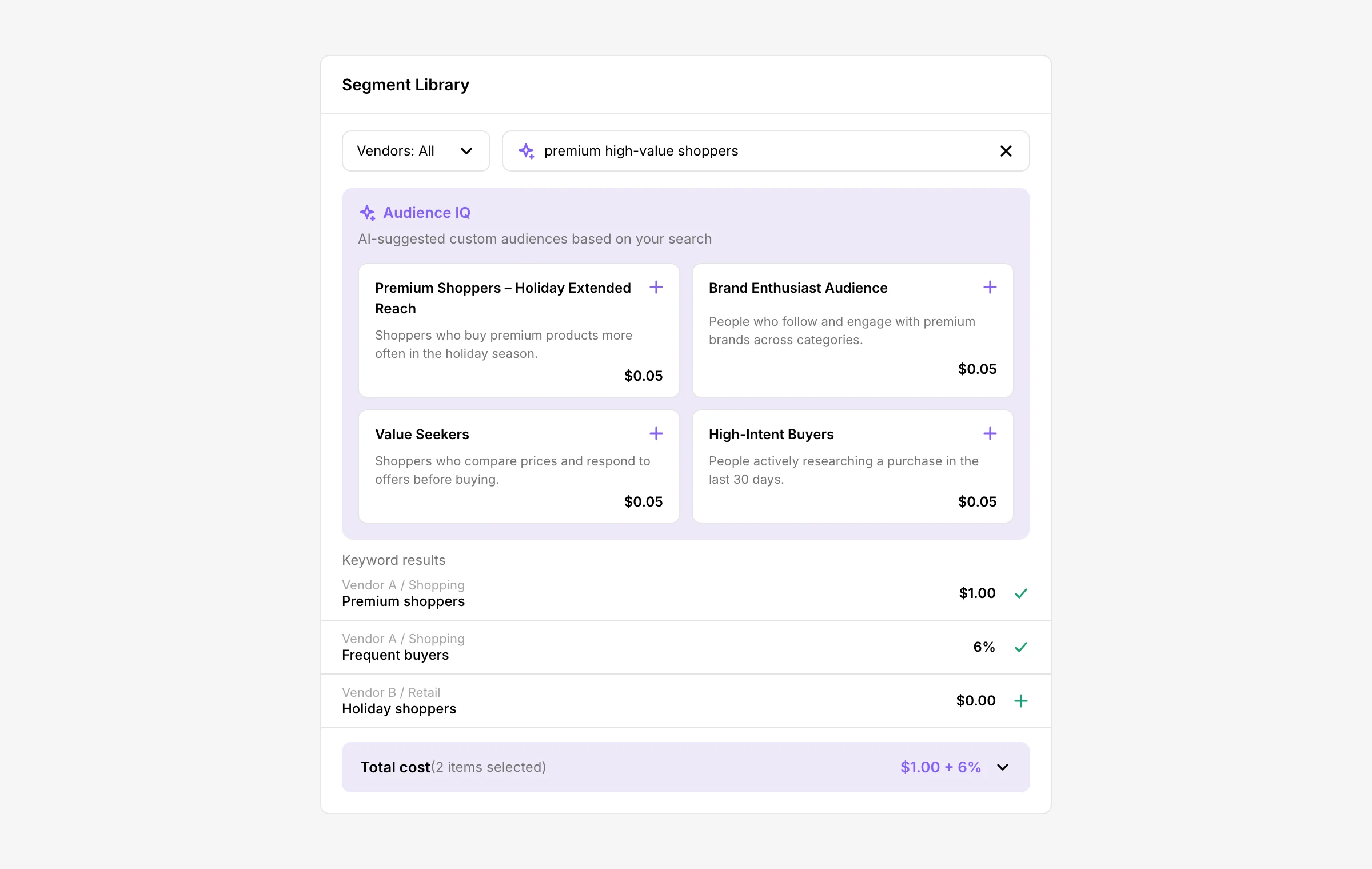
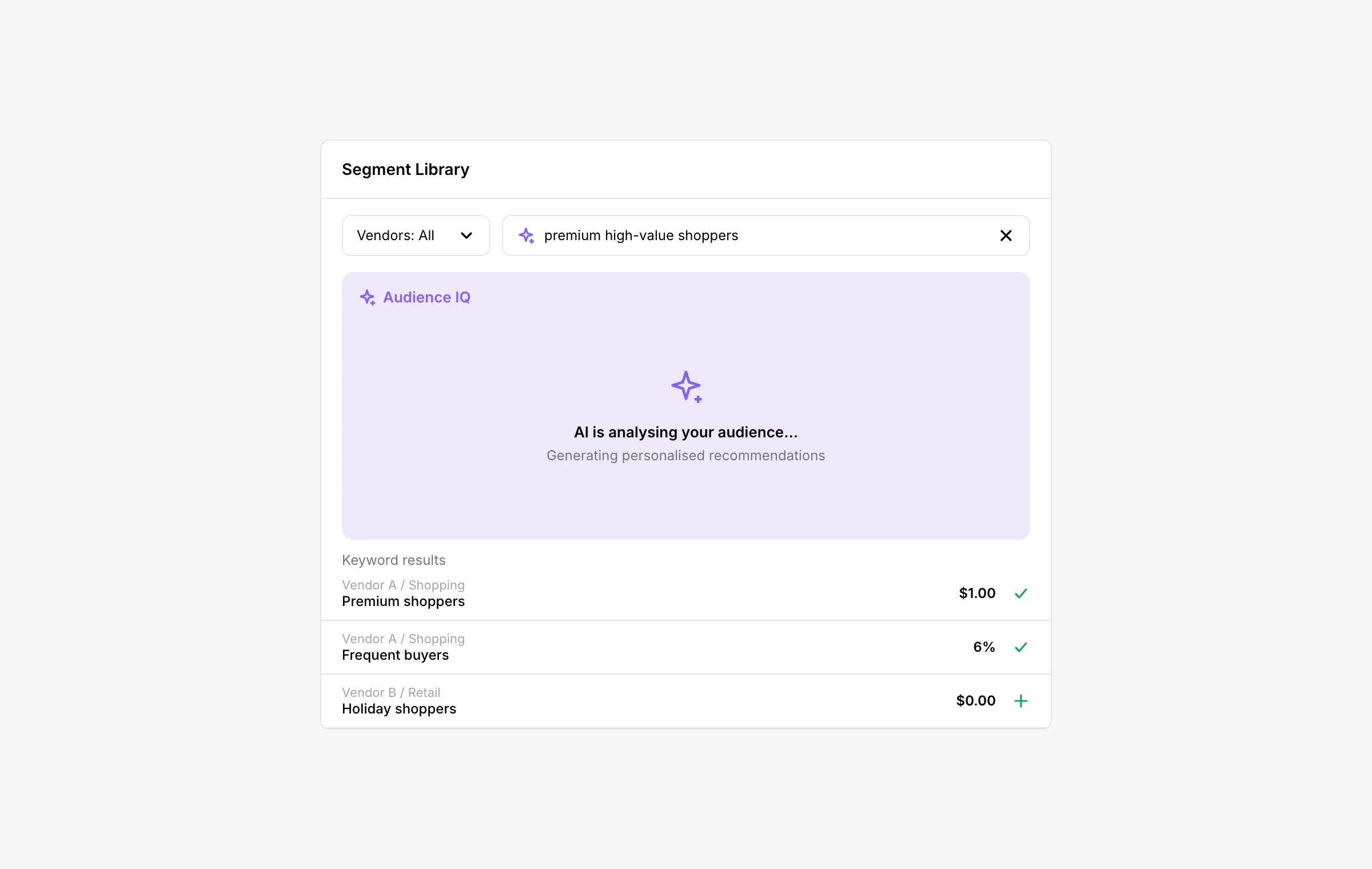
Type who you want to reach, like "premium high-value shoppers".
AI suggests audiences, each one a mix of segments.
Every suggestion shows its price, and a running total adds it all up.
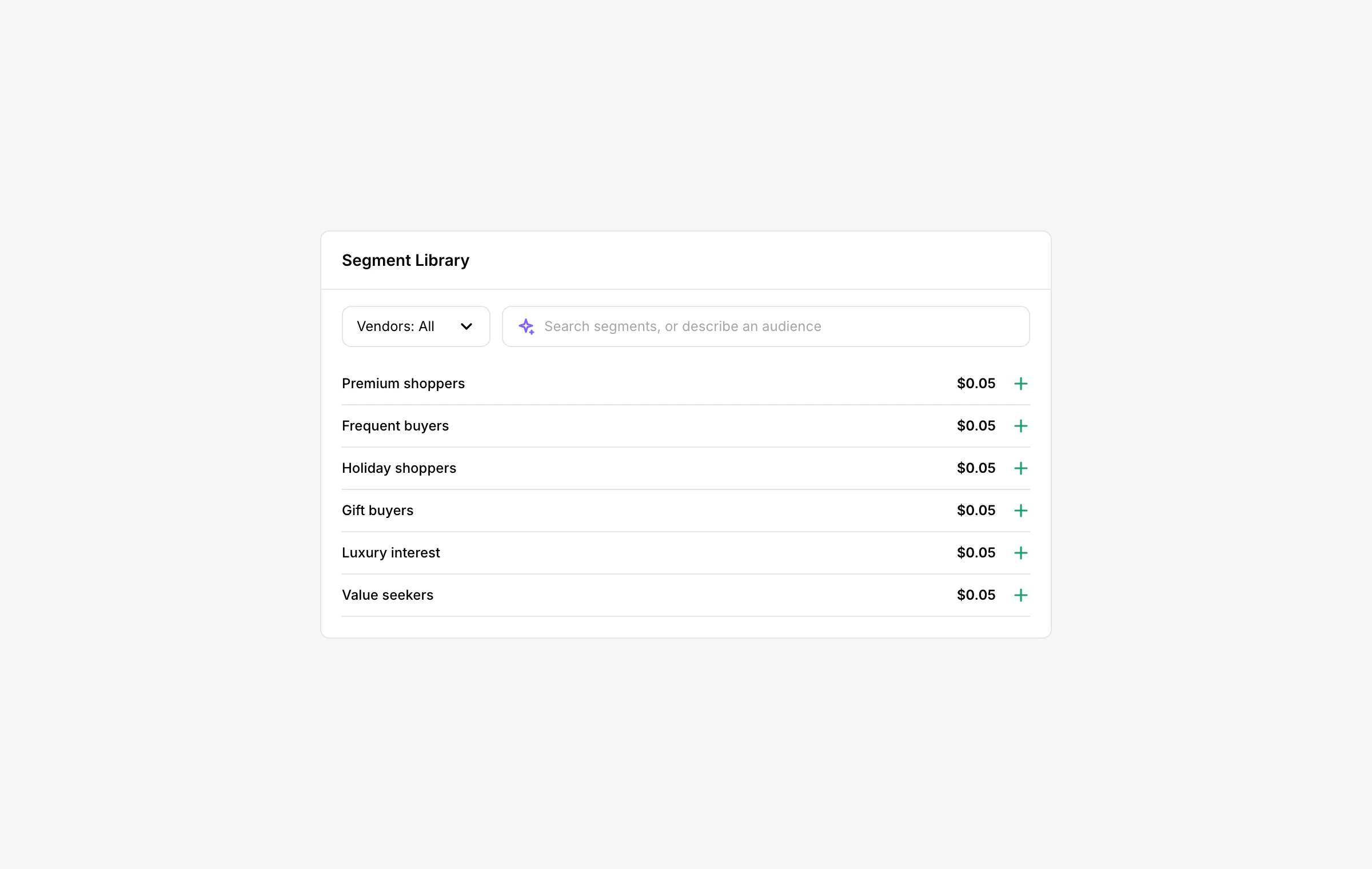
It sits inside the segment search people already use while creating a deal.
The problem
People describe audiences in words. The library only knows segment names.
Finding the right audience meant searching segment names one data company at a time, then combining them with AND and OR logic: people in this group AND that one, OR in another. That takes time, and it takes knowing how every company names its segments.
But requests never arrive as segment names. They arrive as a description of people.
Let someone describe an audience in their own words and get a ready-made one, without leaving the deal they are working on?
Related work
Custom Audience: build your own
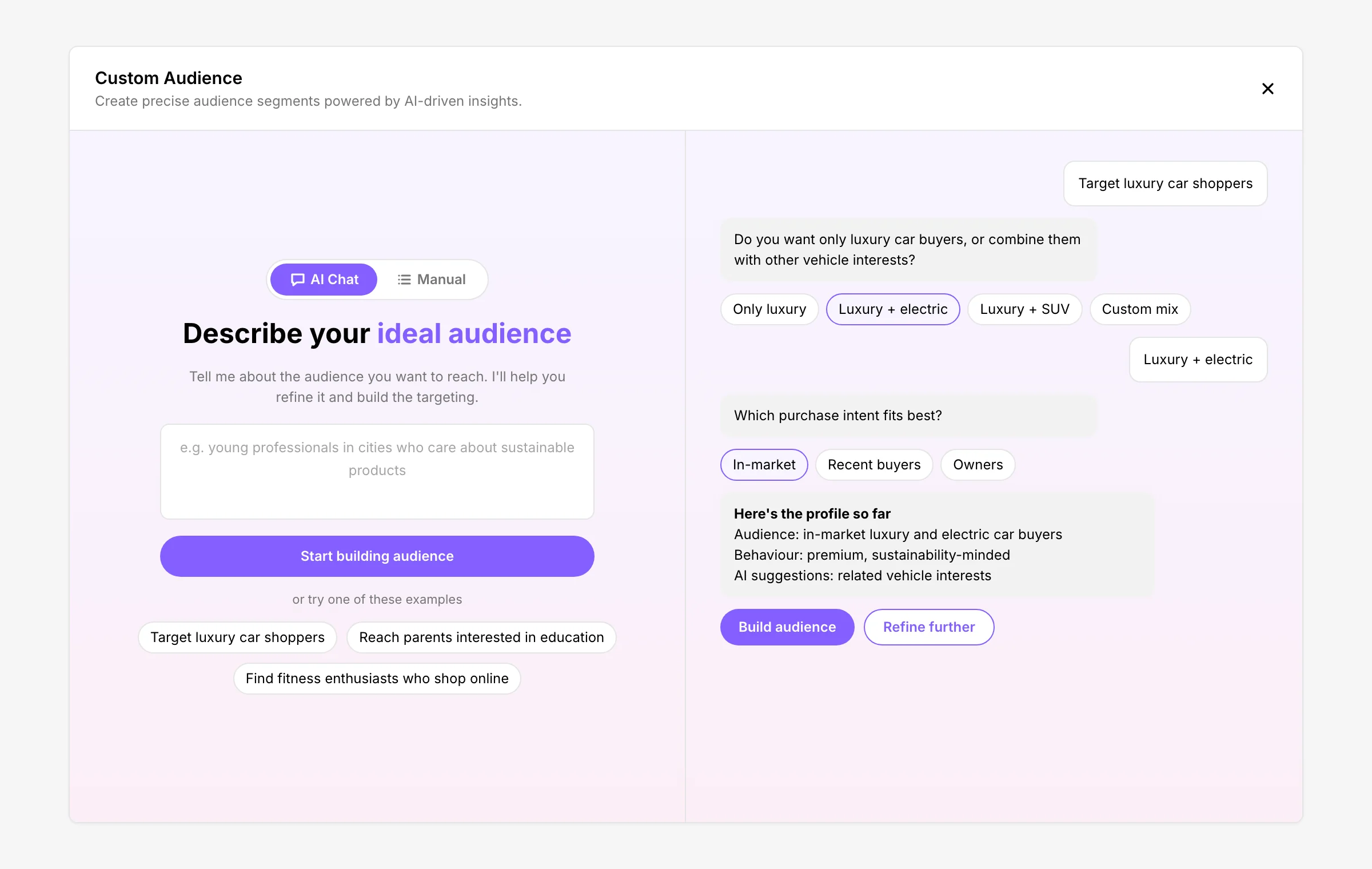
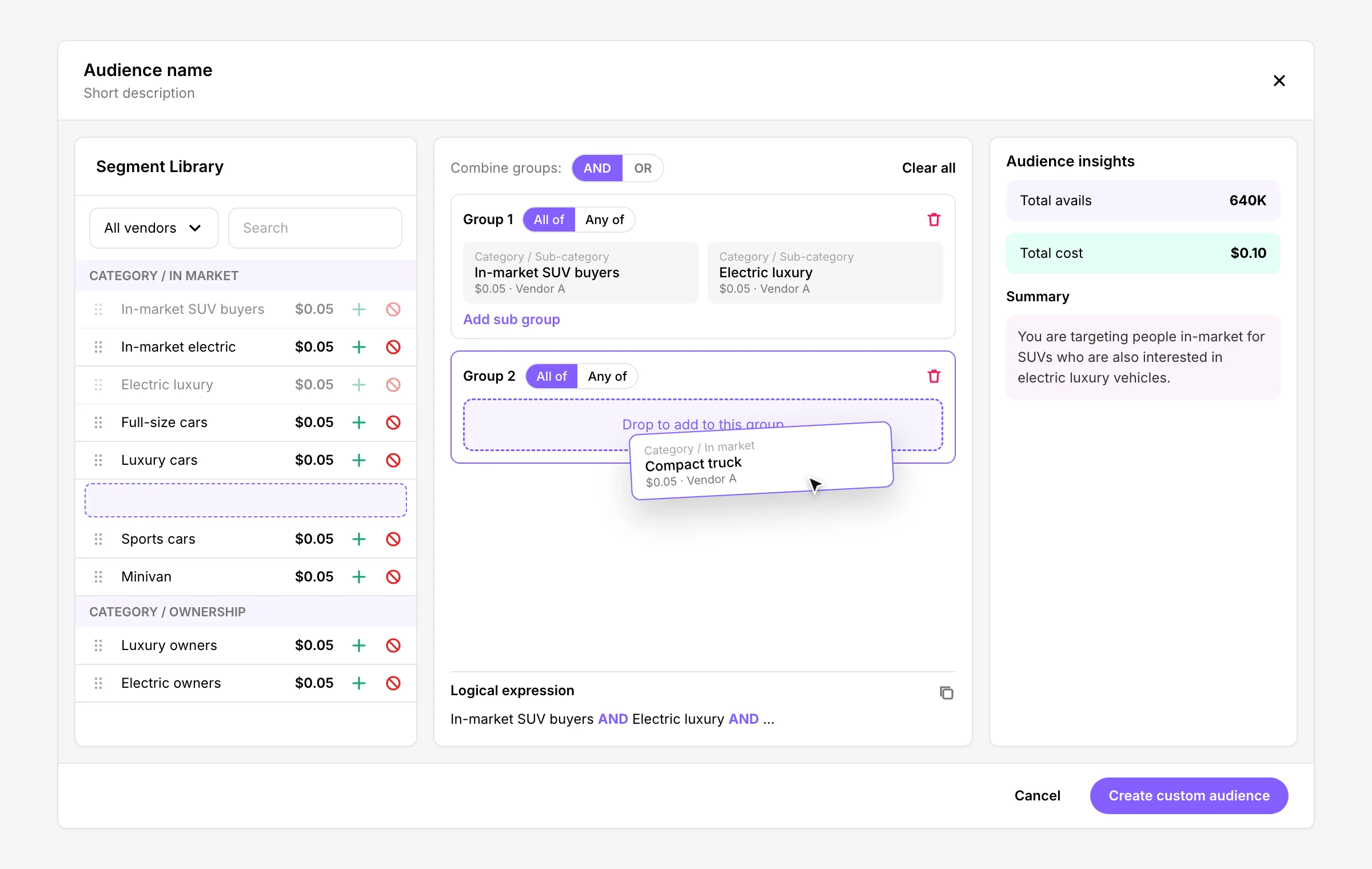
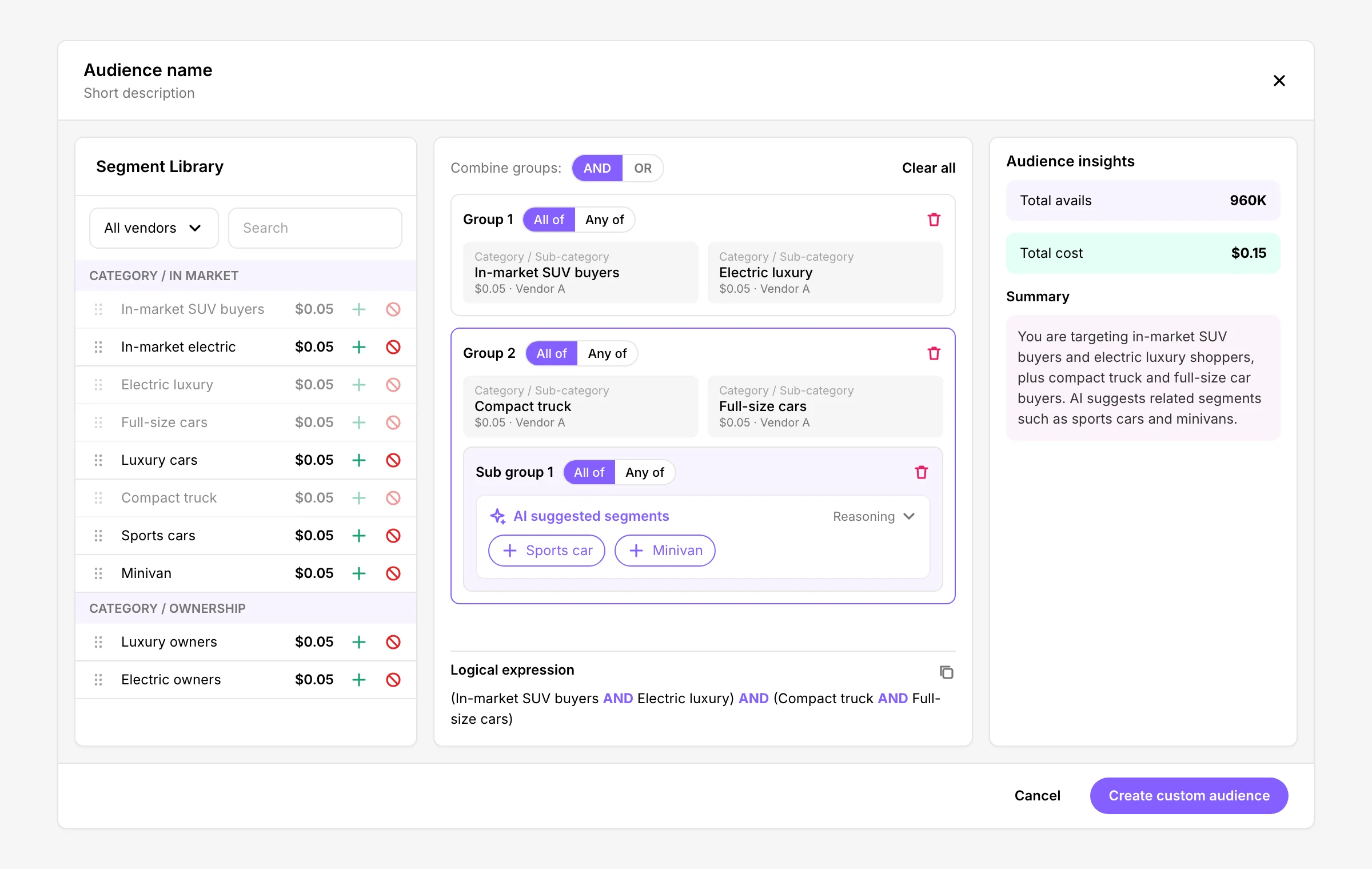
Audience IQ suggests audiences. Alongside it, I designed Custom Audience, where people build their own. They can describe it in AI Chat, or put it together by hand: drag segments from the library into groups, choose All of or Any of, and combine groups with AND or OR.
Drag, drop, and let AI fill the gaps
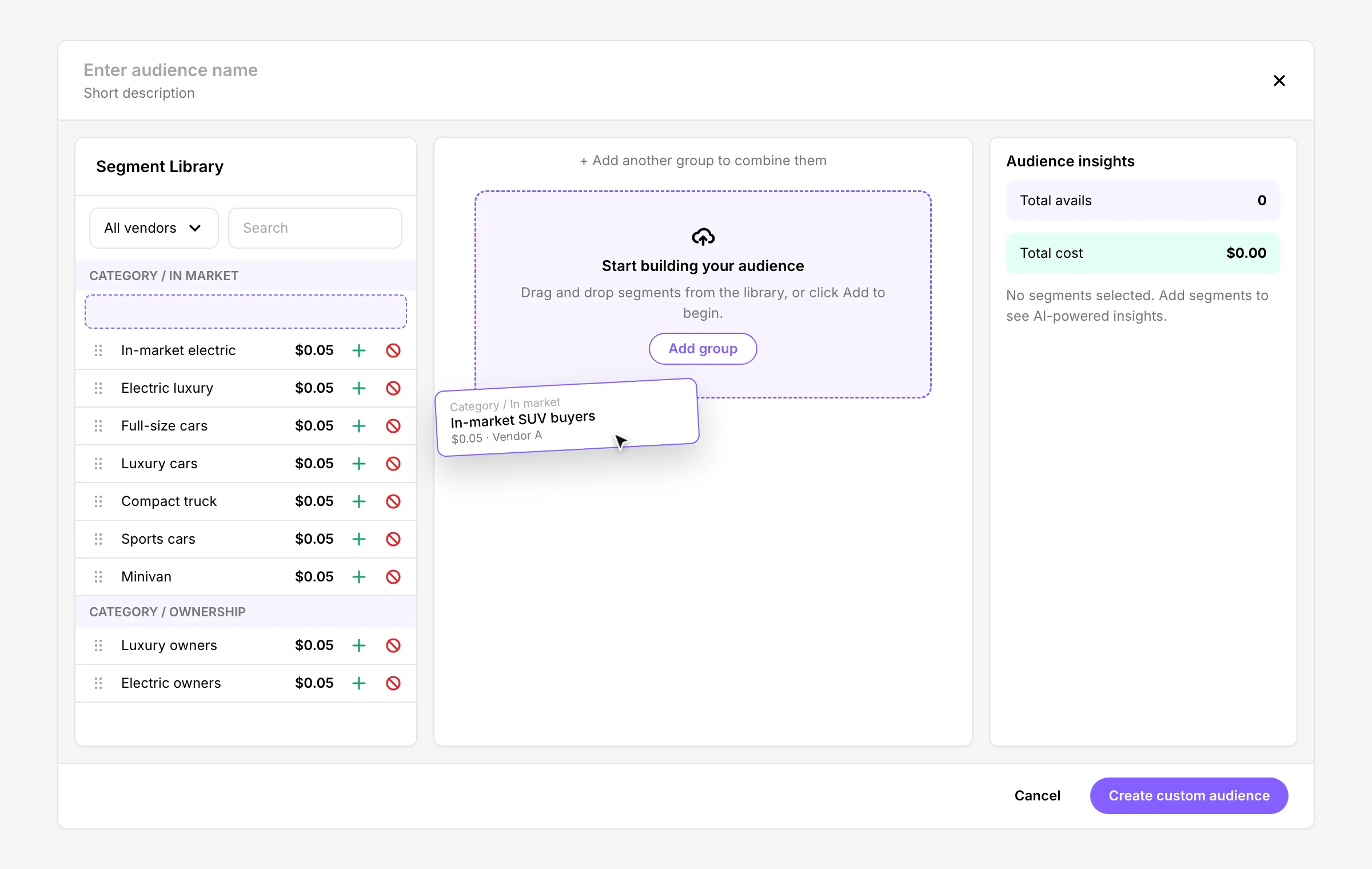
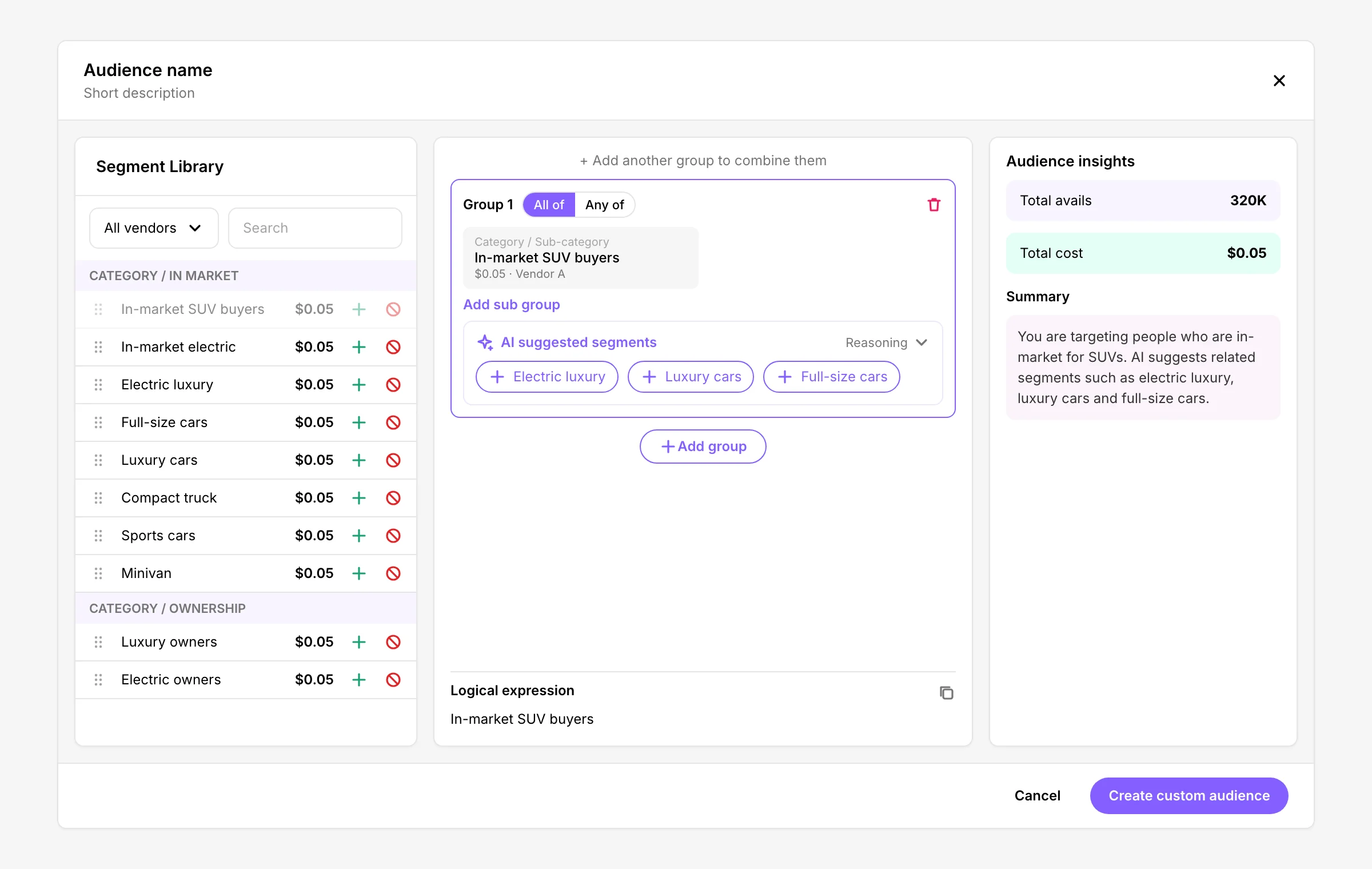
The builder starts empty, with a drop zone that says exactly what to do. Drop the first segment and the insights wake up: how many people it can reach (avails), the total cost and a plain-language summary of who you are reaching. Each group suggests related segments you can add in one click, and the expression underneath spells out the result, so the AND and OR logic is never a guess. Step through the build below.
How they fit together
Custom Audience is for building an audience from scratch with full control. Audience IQ brings ready-made audiences straight into the deal, inside the segment search people already use.
What shipped
AI inside the search
The segment search now has an AI icon. Type a description and Audience IQ works on it while the normal keyword results stay usable. Suggestions arrive in their own panel at the top: a few audiences, each with a name, a short description, a price and a + to add it. Keyword results sit underneath as before, and the Total cost bar adds up every price, whether it is a flat fee or a percentage.
Iterations
Shaped by reviews
Reviews with product and QA shaped the design from the first concept to launch. The biggest change was where the suggestions live and how they look.
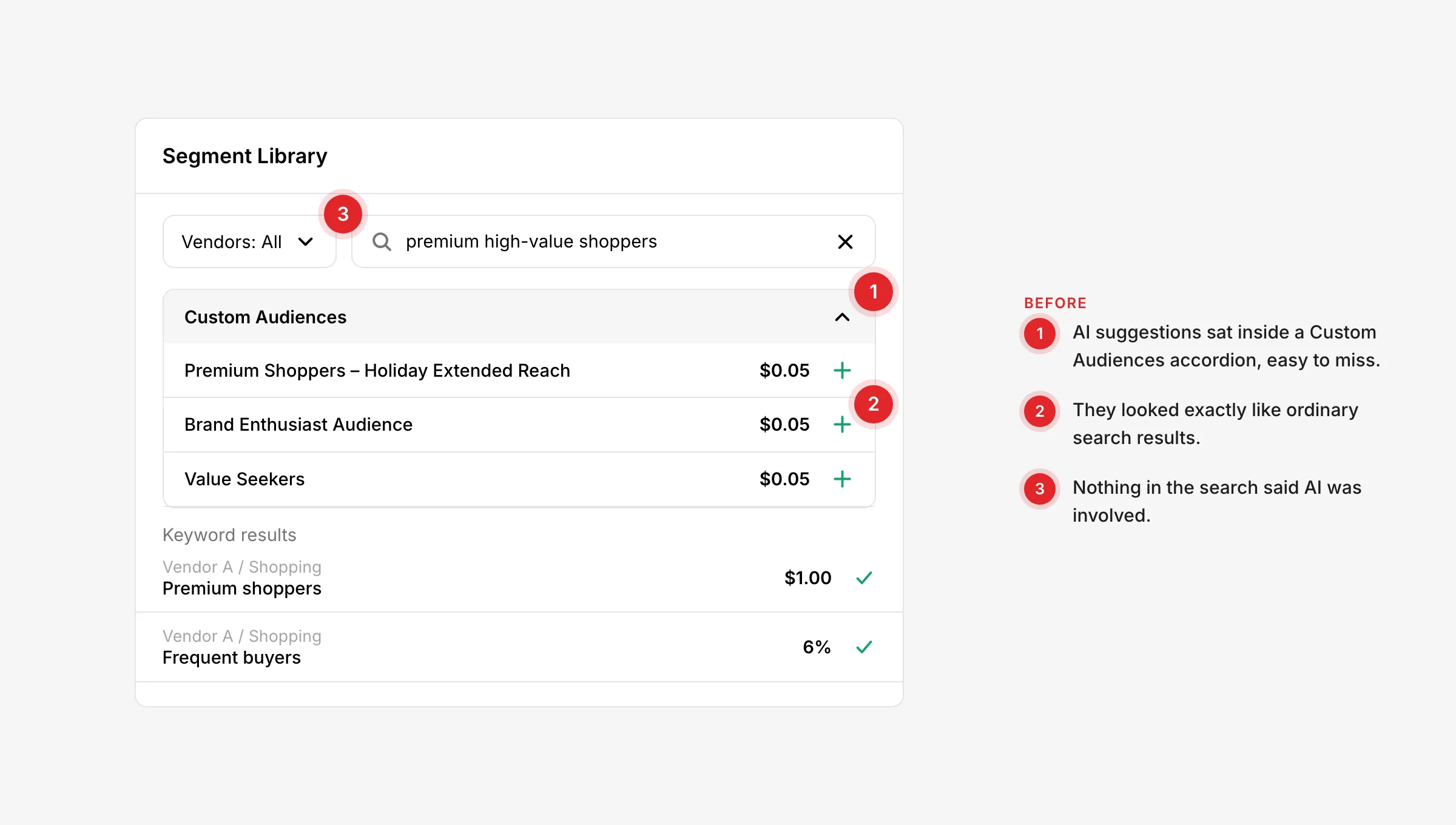
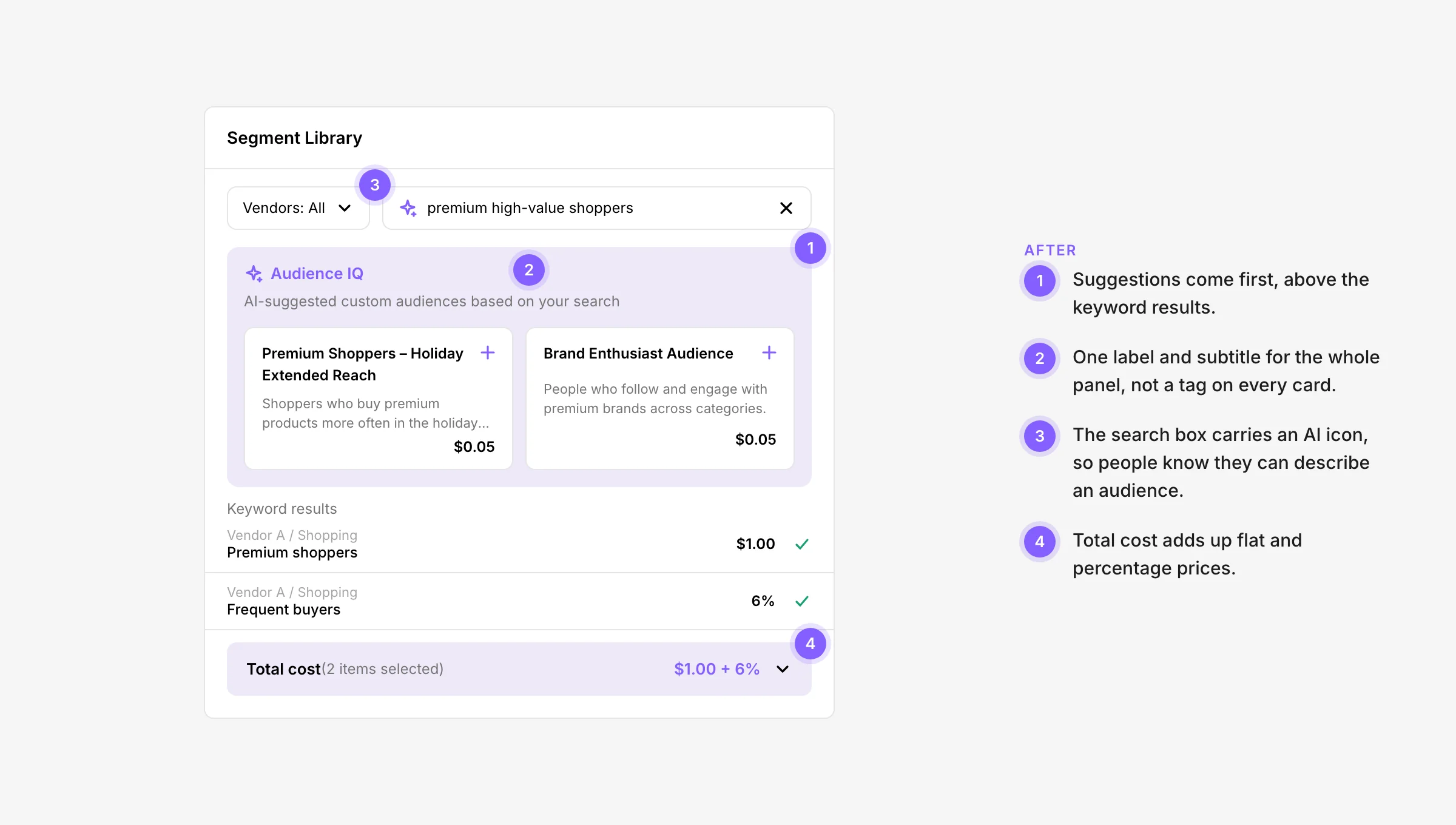
Out of the folded section. Suggestions moved out of a collapsible Custom Audiences section to the top of the library.
Look like AI. Their own panel and background, so they do not read as search results.
Label once. An AI tag on every card felt repetitive, so one label and a subtitle cover the whole panel.
Cost that adds up. The total includes segments priced as a percentage, not just flat prices.
Small fixes. An AI icon in the search, subtitles, and a hover for long segment names.
The details
One popover for every detail
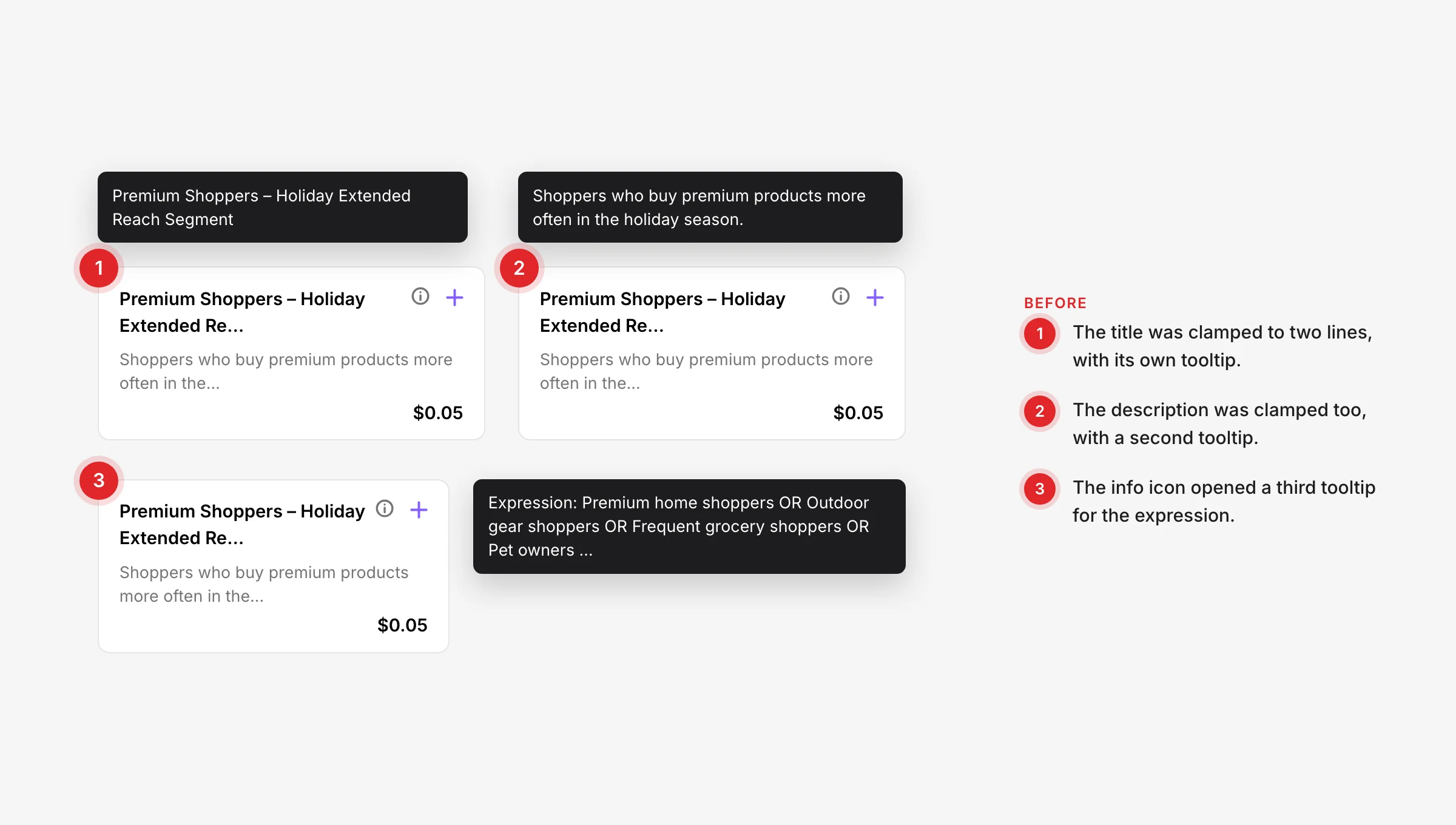
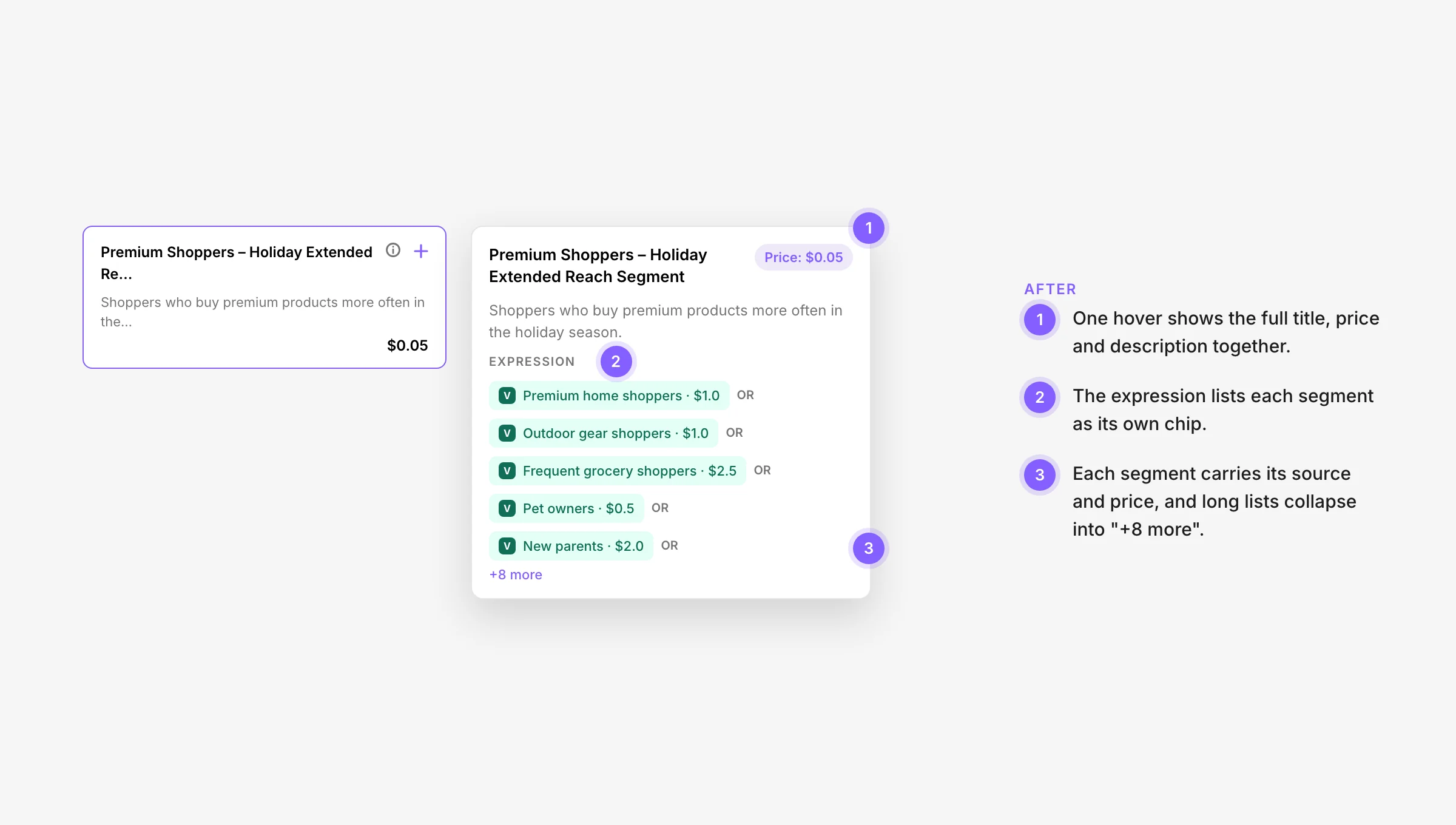
Cards keep titles and descriptions to two lines so the panel stays easy to scan. At first, the full title, the description and the audience’s recipe (which segments it combines) each had their own small pop-up. I combined them into one popover: full title, price and description, then the recipe as a list of segments, each with its source and price.
Design system
Built from the Select Design System
Audience IQ is made from the Select Design System: its fields, cards, pop-ups and colours. New AI states, like the loading panel and the suggestion cards, use the same parts as the rest of the product, so they feel native rather than bolted on.
What I learned
Designing AI into a busy flow
A brilliant separate tool loses to a good one in the place people already work.
A distinct panel and label set the right expectations, and kept AI suggestions apart from exact search matches.
One popover beat three small pop-ups: people get the whole story with a single hover.