Case studies

Case study · FridgeBuddy

Studio
Food & homeSolo project7-day sprint

FridgeBuddy

A fridge inventory and expiry tracker that helps people waste less food.

Role
Product Designer & UX Researcher
Timeline
7 days
Type
Solo project
Methods
Design thinking, competitive analysis, interviews, personas, journey maps
Cover
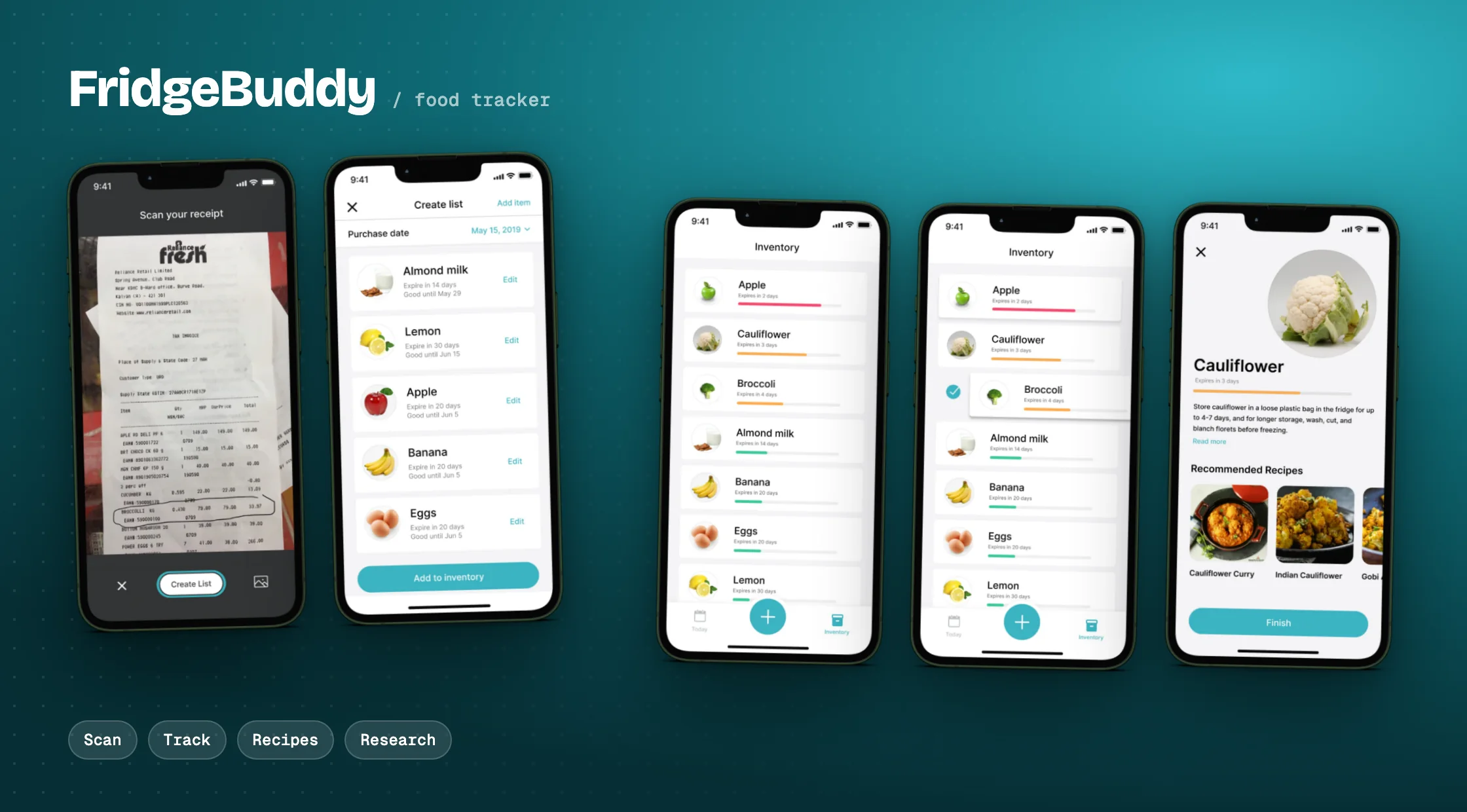
FridgeBuddy app screens showing fridge inventory and expiry tracking

The problem

It started with my own fridge

I kept throwing away food because I forgot it was there or missed the expiry date. When I asked around, almost everyone struggled to remember what was in their fridge. It was a solo project done over one week, on a prompt of my choice.

The prompt
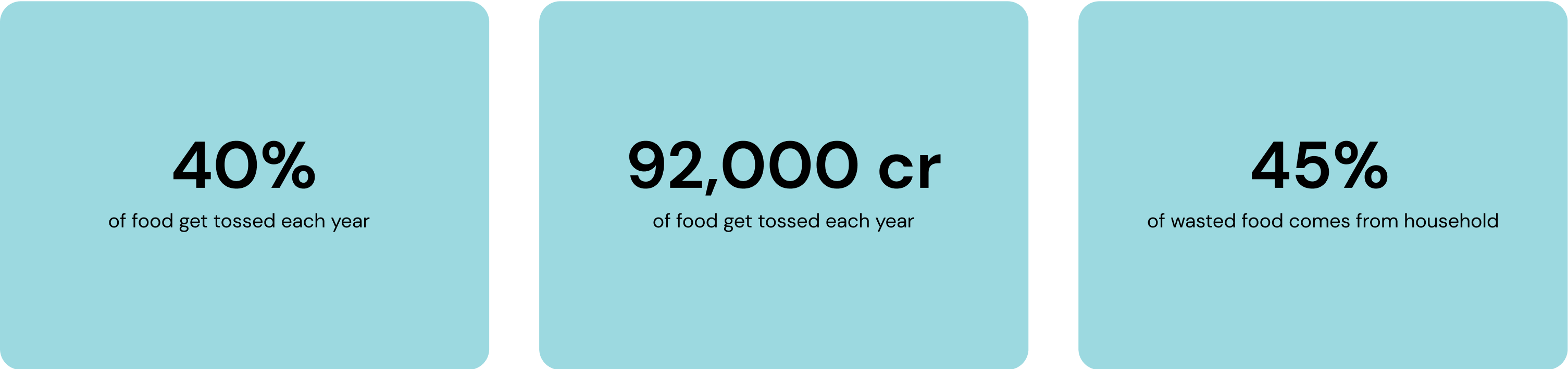
Food waste facts behind the FridgeBuddy prompt
How might weHelp people reduce household food waste?
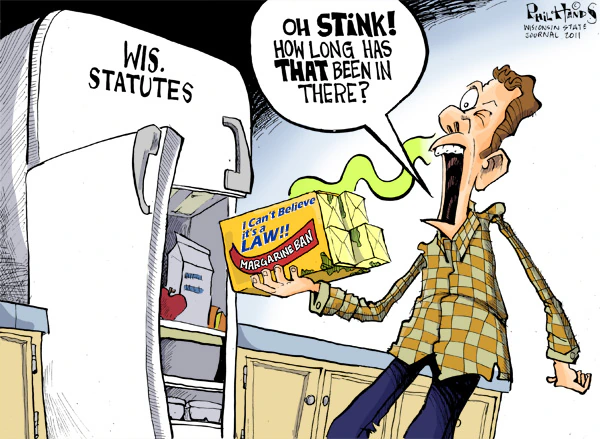
Cartoon of a man shocked by a smell from the back of his fridge

Research

Why existing apps don't stick

I mainly followed design thinking. Before touching any design, I read up on the motivations behind goal setting, then looked at which food-tracking methods already work and where they fall short.

Design process
Design process: empathize, define, ideate, prototype

Competitive analysis

App 01KitchenPal
App 02FoodWise
App 03NoWaste
App 04MyFridgeFood
What each app does
FeatureKitchenPalFoodWiseNoWasteMyFridgeFood
Add items manually✓✓✓✓
Add items by photographing each one✓–✓–
Pick items from an inventory list✓–✓✓
Edit items and expiry dates✓✓✓–
View expiry dates✓✓✓–
Suggest or calculate expiry dates––✓–
Remind users before food expires––✓–
Mark food as finished––✓–
Group items by kind–✓✓–
Group items by fridge placement––✓–
Search recipes–––✓
Recommend recipes–✓–✓

What gets in the way

01

Too much typing. Apps ask for a lot of manual input, which takes time.

02

Constant checking. You have to keep opening the app to track expiry dates.

03

No next step. No suggestions for food that is about to expire.

Interviews

Talking to people about their fridges

User interviews30+

data points from primary interviews. The questions I asked:

  1. How often do you throw away expired food from your fridge?
  2. How do you track expiry dates today?
  3. Would notifications about expiring food help you?
  4. Would you use an app that scans grocery receipts to update your fridge inventory?
  5. Would rewards for wasting less food motivate you?
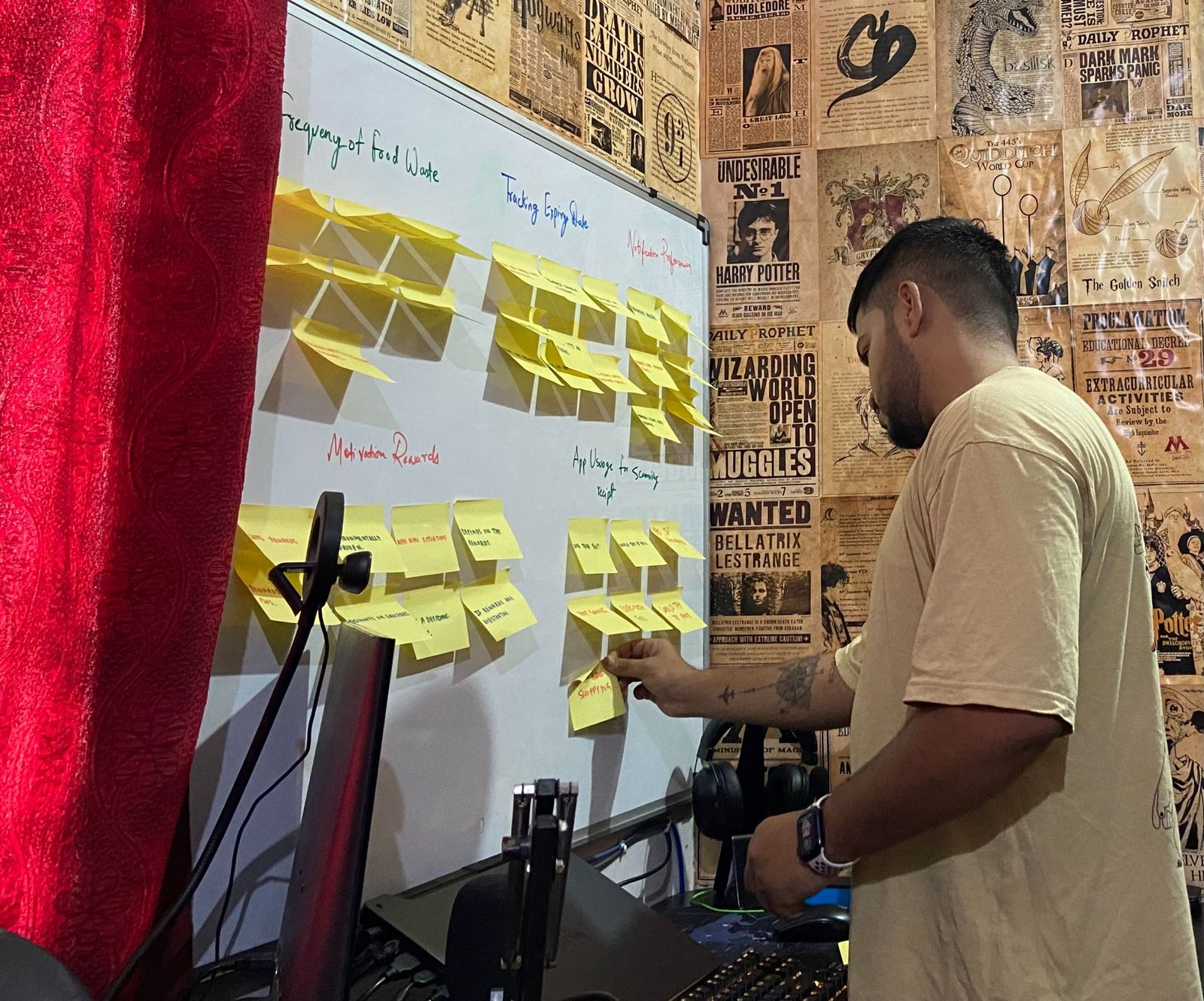
Analysing the data
Rishabh grouping interview notes on a whiteboard

What I heard

Organisation habits
  • Label items with purchase dates
  • Organise the fridge by expiry
  • A digital note on the phone
  • No tracking, just occasional checks
  • Rely on memory
Technology
  • Already use an app to track expiry
  • Scanning receipts sounds convenient
  • Love tech solutions
  • Would try scanning if it is free
  • Depends on how easy the app is
Food waste
  • Once a week
  • At least twice a week
  • Every other day
  • Often vegetables
  • Rarely, thanks to meal planning
  • Hardly ever, I eat out a lot
Notifications
  • Definitely helpful
  • A game-changer
  • Good for items hidden at the back
  • Need reminders
  • Maybe, if not too frequent
  • Not needed, I am organised
Motivation
  • Love rewards
  • Environmentally driven
  • Rewards are a win-win
  • Grocery discounts as rewards
  • Only if rewards are substantial
  • Not a deciding factor

Personas

Designed for students and young professionals

The research pointed to two groups who waste the most food for lack of time and planning. Click any image to see it full size.

Young professional

Priya
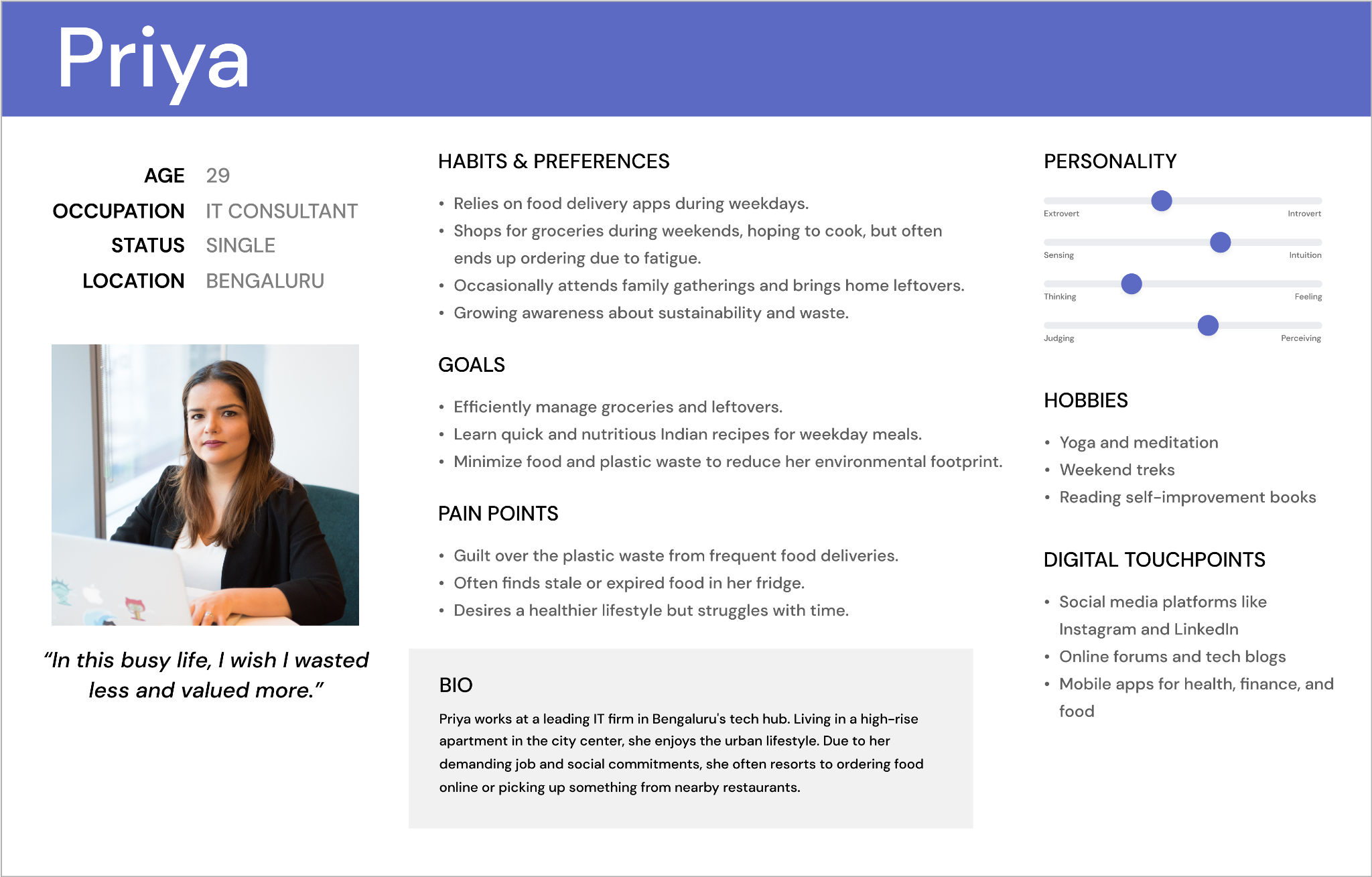
Persona
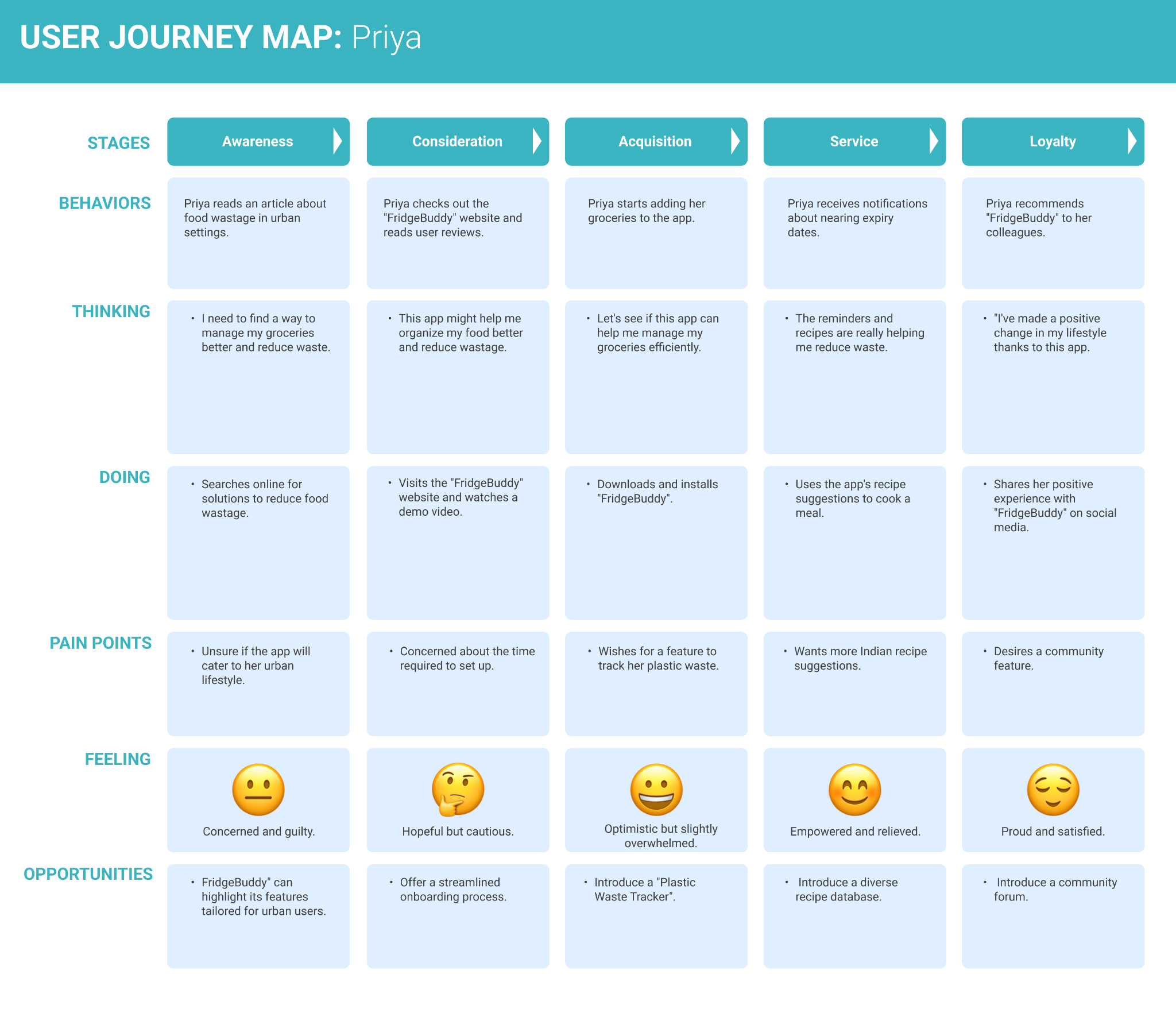
Persona: Priya, young professional
Journey map
Journey map for Priya
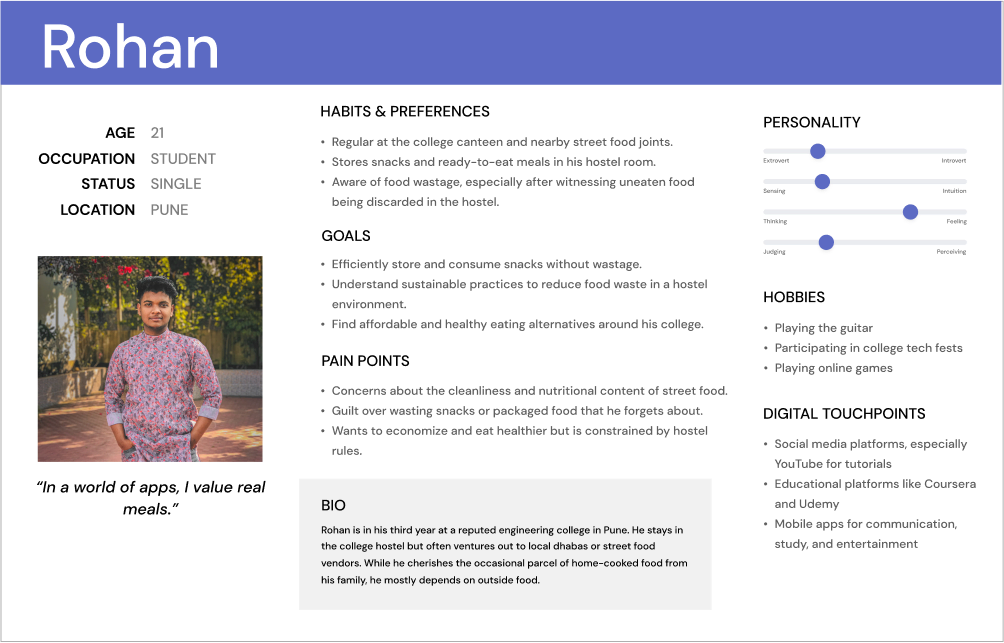
Student

Rohan

Persona
Persona: Rohan, student
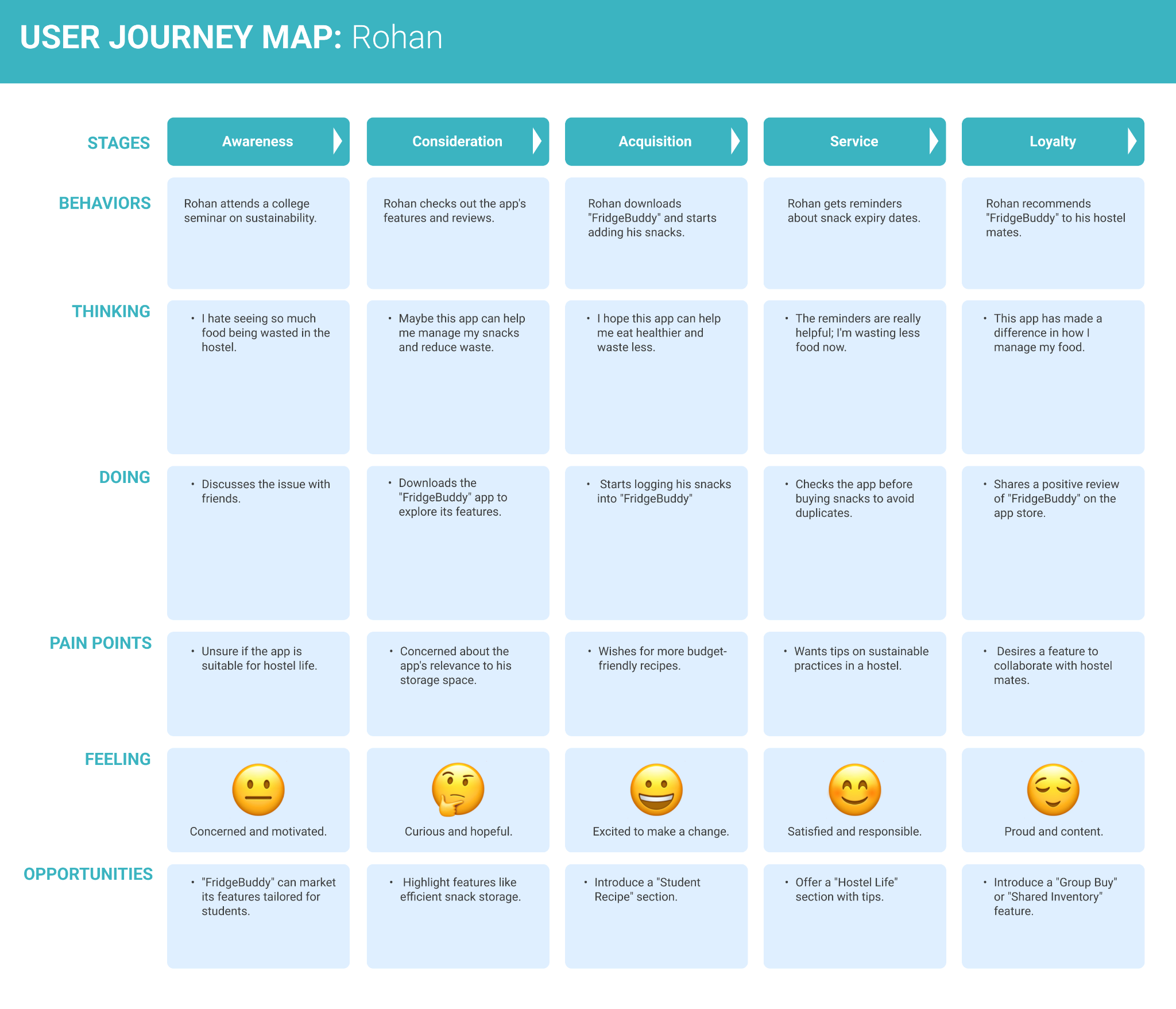
Journey map
Journey map for Rohan

Opportunities

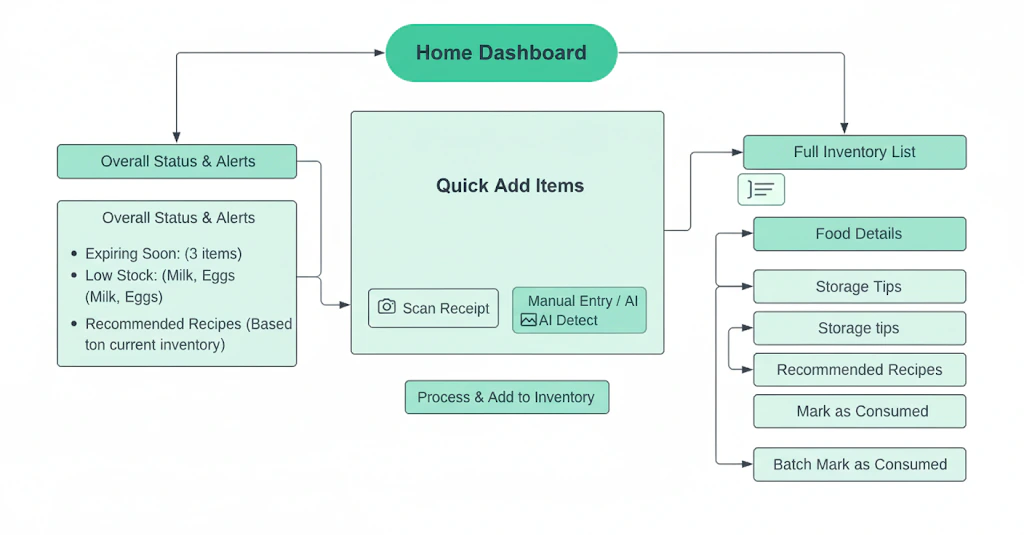
From opportunities to product structure

I mapped the opportunities from research and turned the strongest ones into a simple product structure before designing screens.

How might weHelp students and young professionals reduce household food waste efficiently?
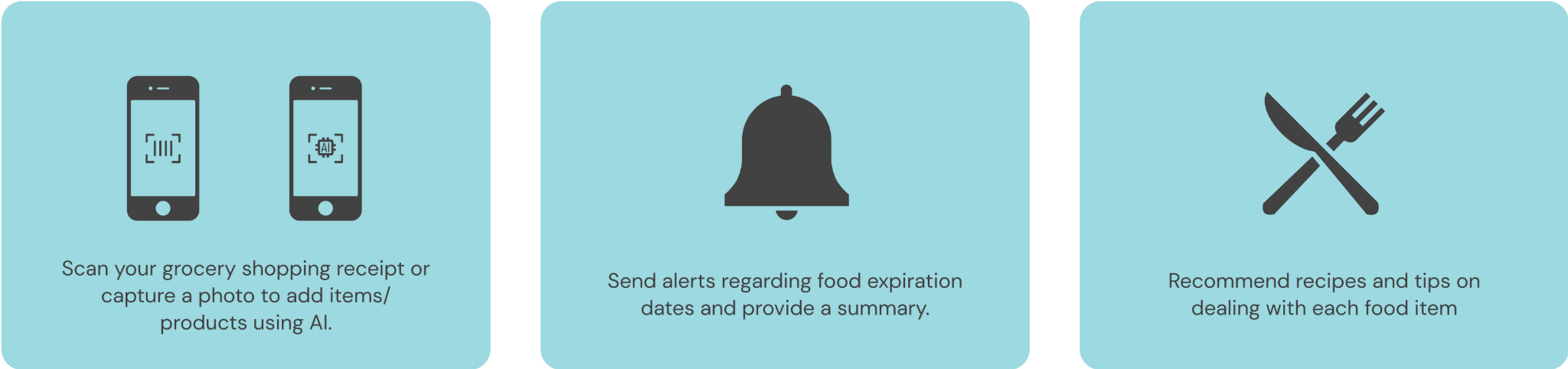
Opportunity mapping
Three opportunities: scan receipts, expiry notifications, recipe suggestions
Product structure
Product structure: home dashboard, quick add, fridge inventory list

The design

Five features, less typing

FEATURE 01

Scan receipts to add items

Scan a grocery receipt and the items go straight into your fridge inventory, instead of typing them one by one.
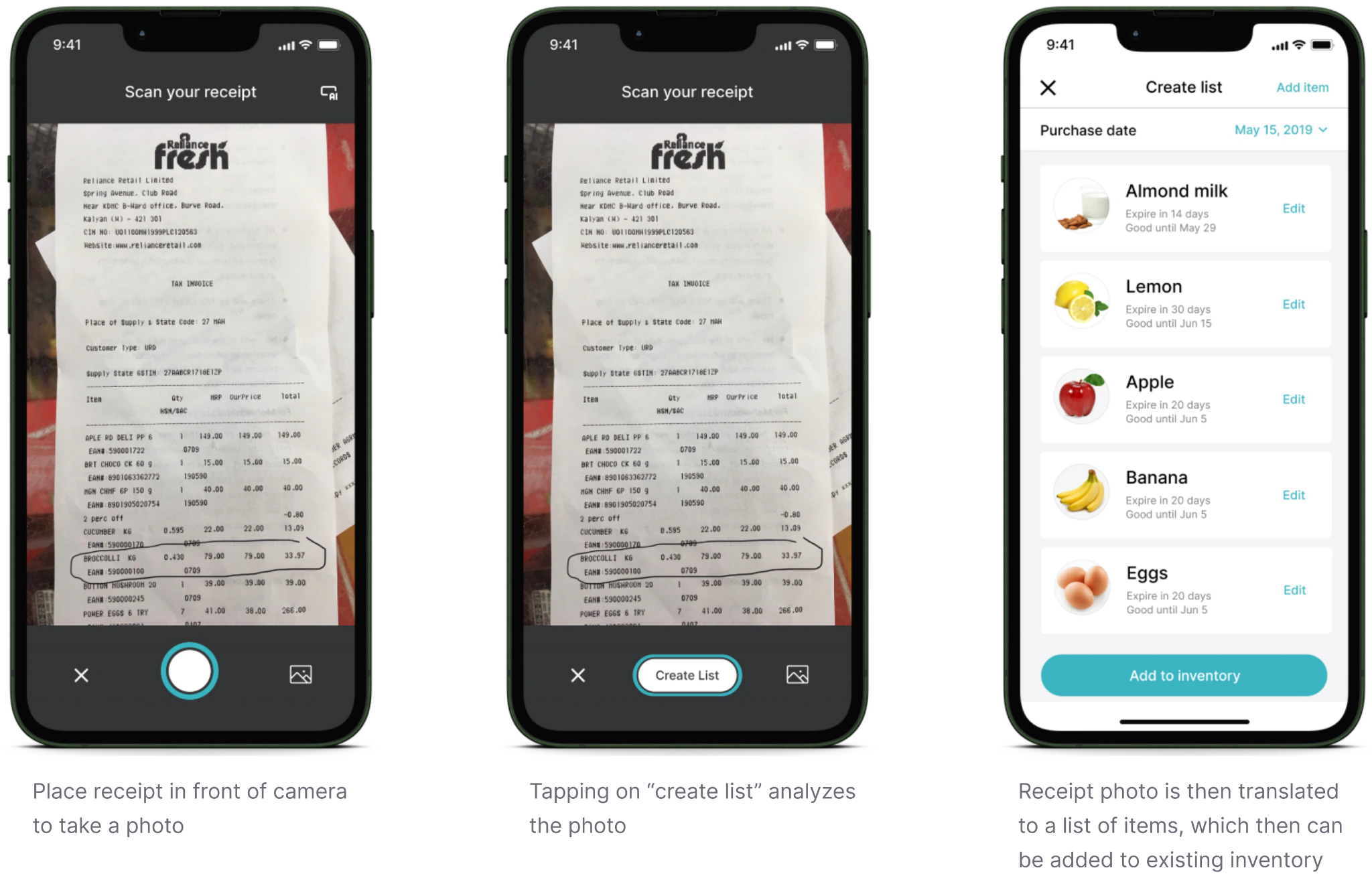
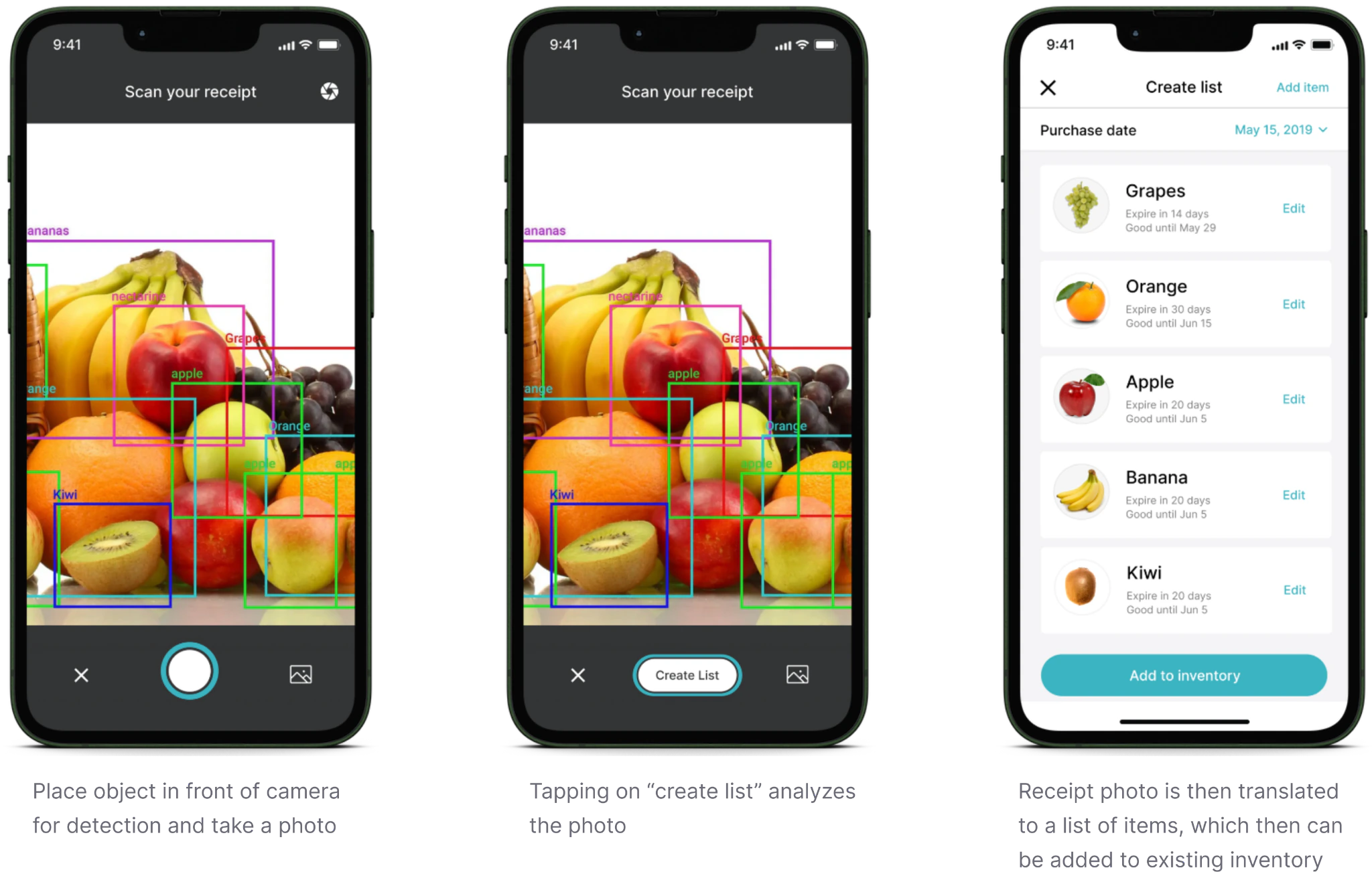
Scanning a grocery receipt
Scanned items added to the fridge inventory
FEATURE 02

Notifications before food expires

FridgeBuddy tells you when something is about to expire, so you don't have to keep checking.
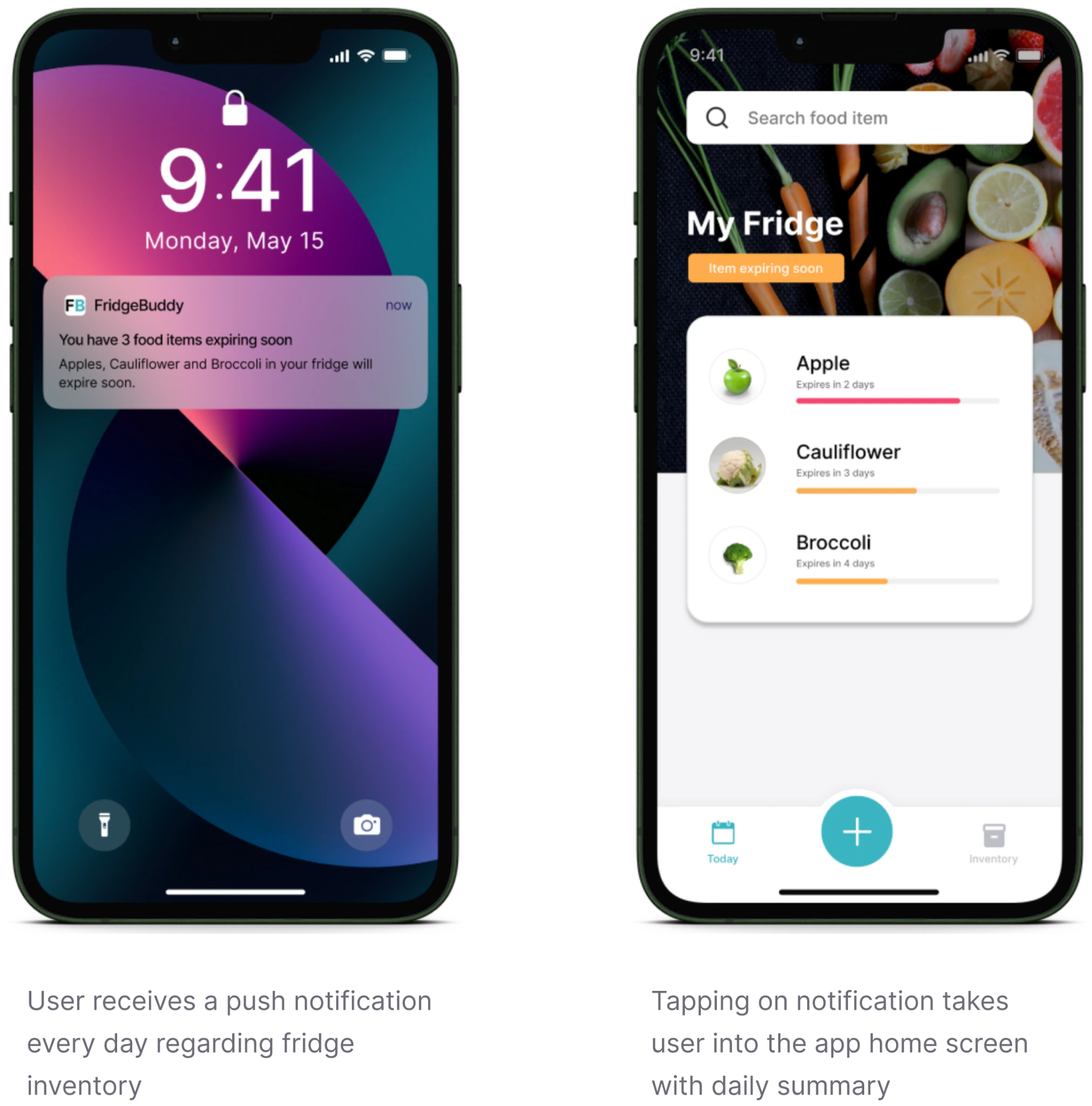
Expiry notification and the fridge summary it opens
FEATURE 03

Track and deal with food

See everything in your fridge at a glance, with guidance on what to do with food that is about to expire.
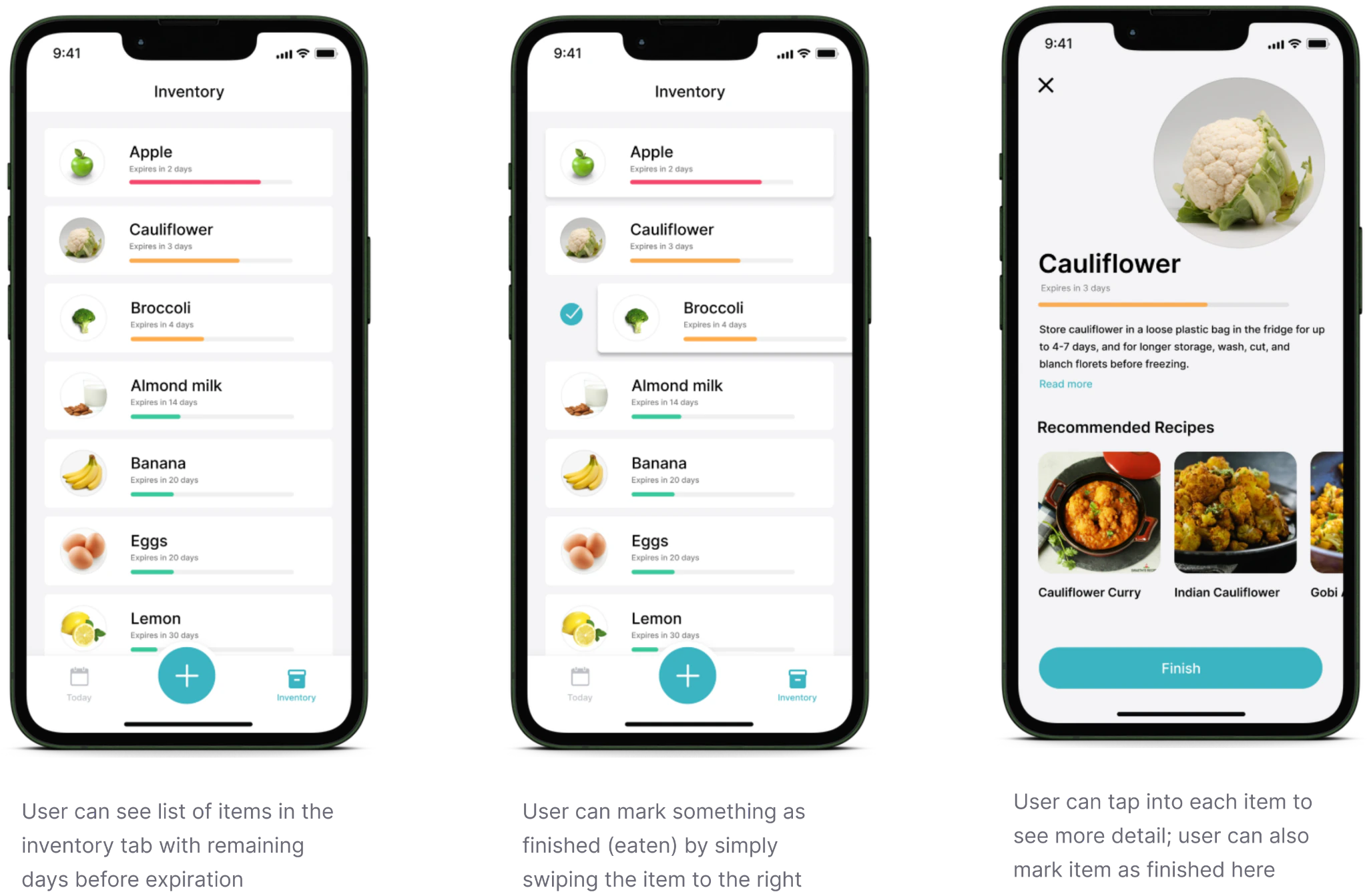
Tracking food and its expiry status
FEATURE 04

Add or edit custom items

For homemade food or anything without a receipt, add or edit items by hand.
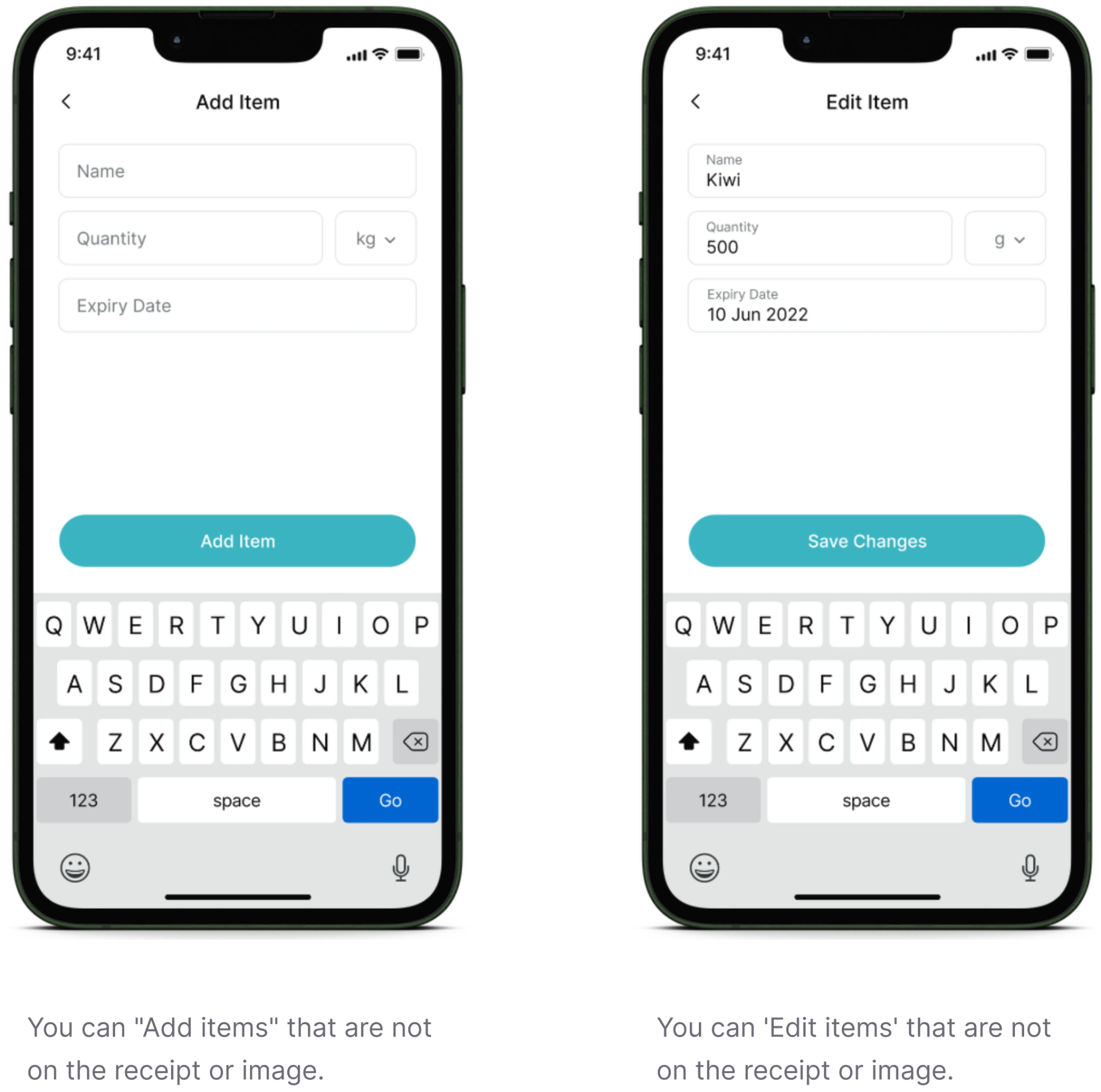
Adding and editing a custom item
FEATURE 05

AI recipes from your inventory

Recipes suggested from what is already in your fridge, so expiring food becomes dinner instead of waste.
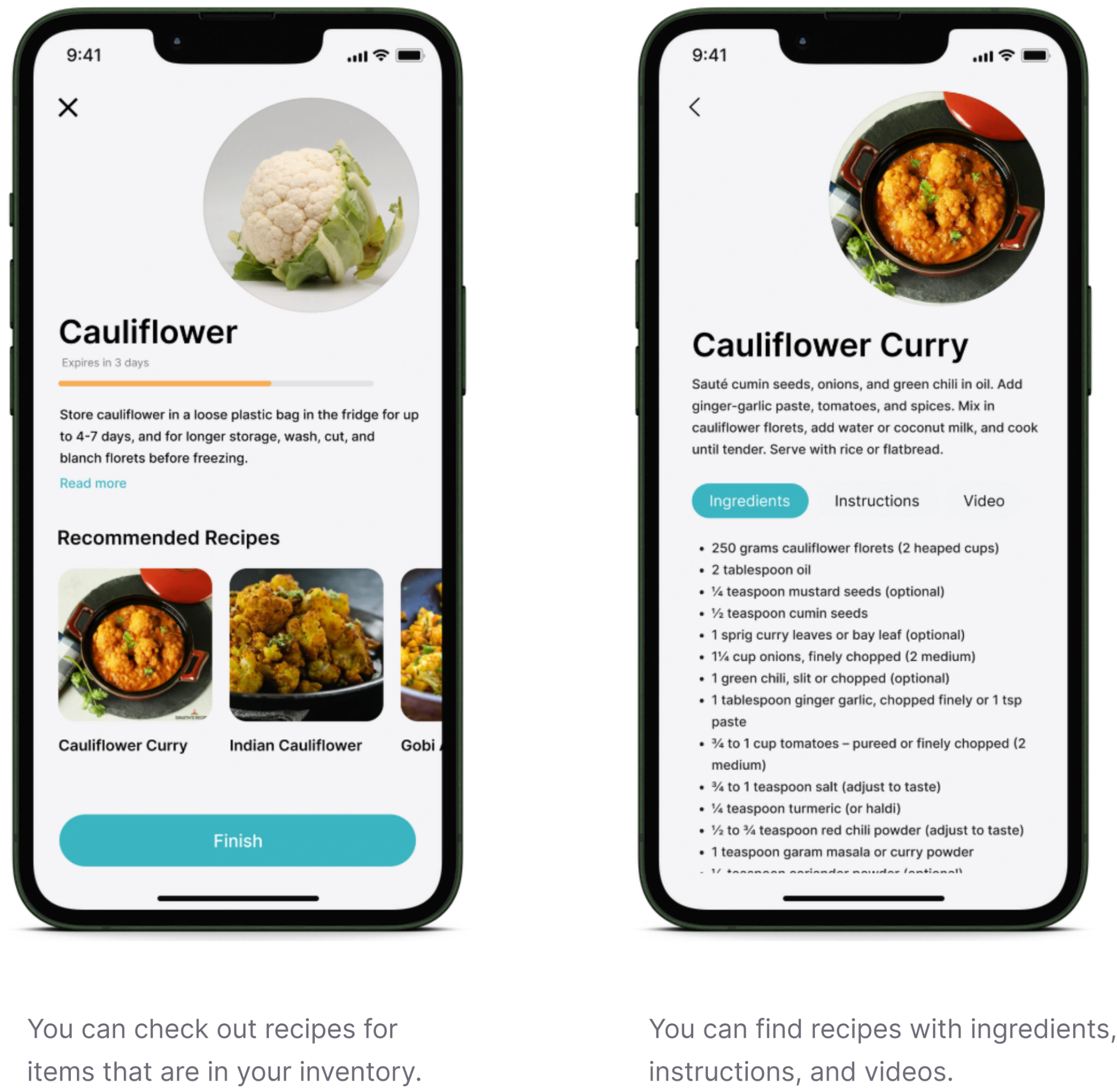
AI-recommended recipes based on the inventory

Prototype

The flow in motion

Scan a receipt, get the items in, see what expires first and turn it into a recipe.
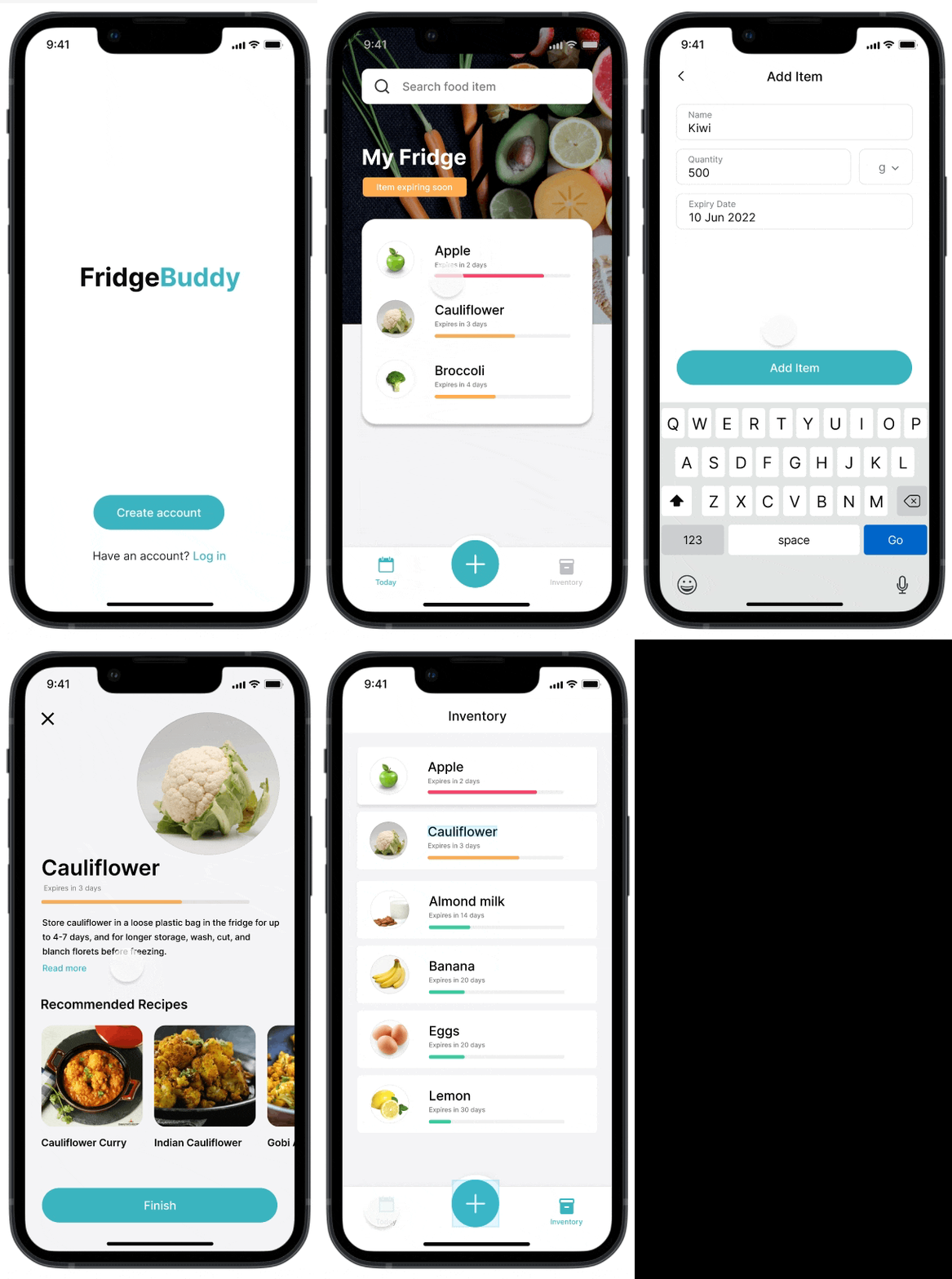
Animated prototype of the FridgeBuddy flow
Prototype

Next steps

What I would add next

Product features
  • Group items by kind, placement and more
  • Coupons or points for wasting no food
  • A dashboard of what was eaten and what was wasted
  • Double confirmation to prevent mistakes
  • Partner with online stores, so there is no receipt to scan
Design
  • Higher colour contrast for text and icons
  • Voice: an Alexa or Siri skill to ask what is in the fridge
Honest noteWith only 7 days, I skipped usability testing. It would be the first thing I do next.